Organize your tickets and clients better with custom Labels
Ticket & Client Labels
This version of Awedesk introduces an exciting way to keep your tickets and clients perfectly organized: Labels. With labels, your team can quickly categorize and prioritize work, making it easier than ever to stay on top of everything.
Creating & managing Labels
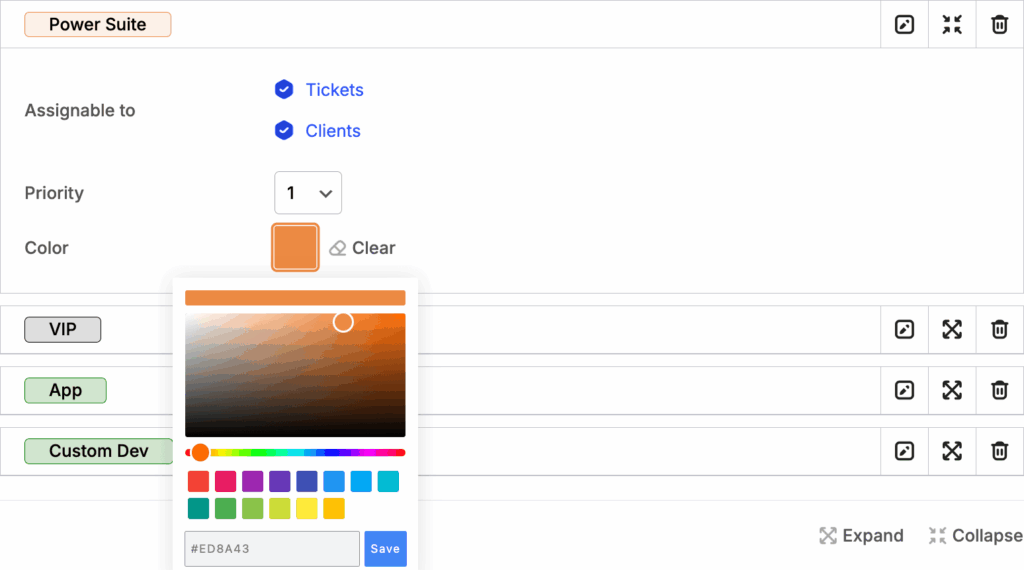
Labels are managed by Administrators and can be applied to Tickets, Clients, or both. Each label comes with a priority level (1–5, with 1 being “most important”) and an optional color to make important items stand out at a glance.
Labels in the Agent interface
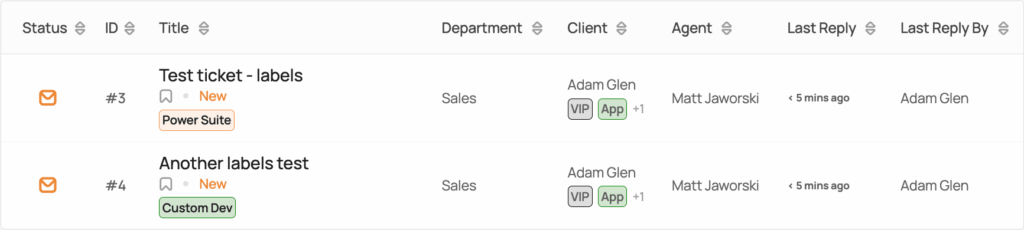
On the ticket listing, Agents will see key labels instantly, helping your team identify urgent issues or important Clients without opening each Ticket. Labels are always displayed first by priority and then alphabetically, so the most critical information is always visible.
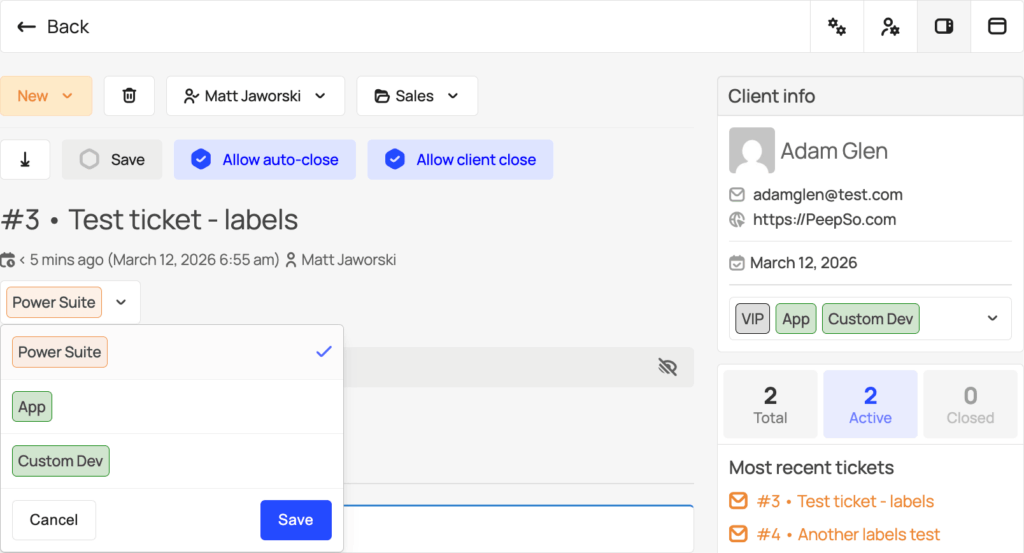
For Tickets or Clients with multiple Labels, a full list is available in the single Ticket view – this is also where agents can easily add, remove, or update Labels.
With Labels, organizing your workflow is faster, clearer, and smarter—so your team can focus on what really matters: resolving Tickets and keeping Clients happy.
Labels in the Awedesk App
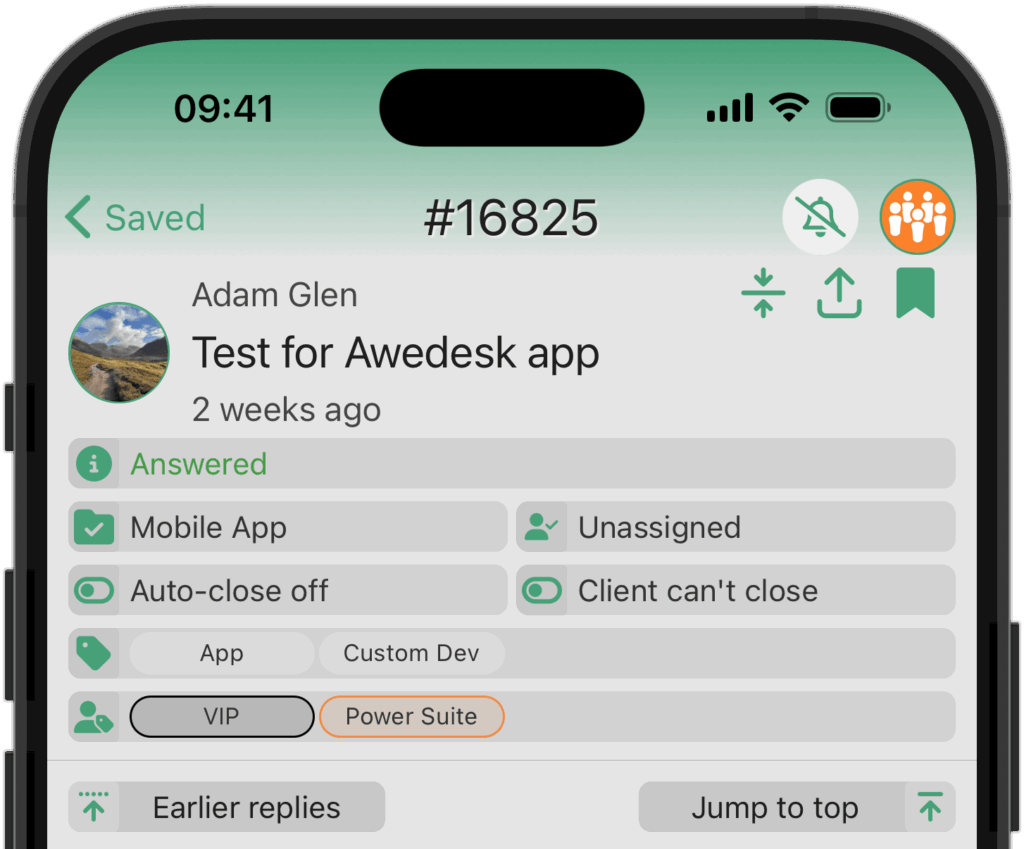
We are currently working on Labels support in the mobile Awedesk app, and expect a release by the end of March.
Other Improvements
We have added some fixes to Email Piping, to avoid the same email reply from being imported more than once. If a ticket is trashed, a piped email reply will no longer reopen it.
Regular agents now have access to the “History” filter, which was previously limited to Managers and Admins.
We improved the layout of the ticket toolbar for agents, making sure it does not overlap with other elements while in focus mode.