Customer support is one of the fastest ways to strengthen or weaken a WordPress business.
A business can have a strong product, a polished website, and a loyal audience, yet still lose customers because support feels slow, disorganized, or frustrating. For WordPress site owners, this problem often grows quietly. At first, support requests arrive through a contact form, a shared email inbox, or direct messages. Then the business grows, more orders come in, more members join, and the support process that once felt manageable starts to break.
That is when common customer support mistakes begin to show up.
For businesses running on WordPress, support is not just about answering questions. It affects renewals, refunds, reviews, retention, and trust. It also shapes how customers feel about your brand after they have already paid you. A weak support system can turn simple issues into churn. A strong one can turn support into a growth channel.
In this article, we will look at the most common customer support mistakes WordPress businesses make, why they matter, and how to fix them with a practical setup that works as your business grows.
Why customer support matters so much for WordPress businesses
WordPress businesses often operate in competitive markets. You may sell digital products, memberships, online courses, services, plugins, themes, coaching, or community access. In every case, customers expect fast and helpful support. They do not compare your support only to other WordPress businesses. They compare it to every smooth support experience they have had anywhere online. That raises the standard.
When support is easy to reach, organized, and personal, customers feel safe buying from you. When support is messy, they start to question the reliability of your entire business. Even a small delay or confusing reply can make a customer hesitate before renewing a subscription or recommending your site to someone else.
For membership sites and community businesses, the stakes are even higher. Support is closely tied to the member experience. If members cannot get help quickly, community engagement drops. If they feel ignored, retention suffers.
That is why support should be treated as part of your product experience, not as an afterthought.
Mistake 1: Treating support like a side task
One of the most common mistakes is treating customer support as something you squeeze in between other work. Many WordPress businesses begin this way. The founder checks a support form when there is time. A team member replies from a personal inbox. Some requests are handled in email, others in chat, and others through social media messages. Nothing feels centralized.
This setup may work briefly, but it does not scale. Support becomes inconsistent because there is no shared process. Customers receive different answers depending on who responds. Important messages get buried. Follow-ups are missed. Team members lose context. Over time, the support experience starts depending on memory instead of a system.
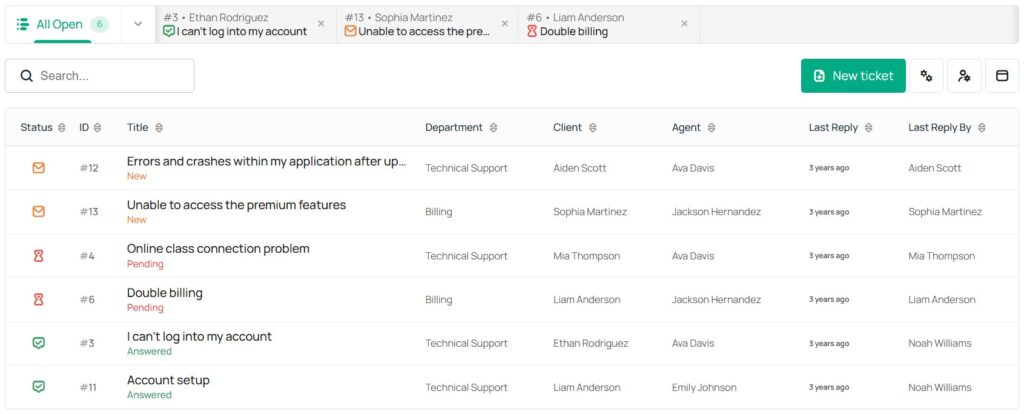
The better approach is to treat support as an operational function with its own workflow. That means using a proper ticketing system inside WordPress, assigning conversations clearly, and keeping communication in one place. This is where Awedesk gives WordPress businesses a much stronger foundation. Instead of relying on disconnected tools, you can run support from your own site, keep full ownership of your platform, and build a structure that fits the way your business already works.
Mistake 2: Relying on a shared email inbox alone
A shared email inbox often feels simple at first. The problem is that shared inboxes create confusion as soon as more than one person is involved. Two agents may reply to the same message. A customer may wait because everyone assumes someone else handled it. Internal accountability becomes weak because there is no clear assignment or ticket status.
Email also makes it harder to track support history across the business. If a customer contacts you again next month, the full context may be hard to find. That leads to repeated questions and slower resolutions.
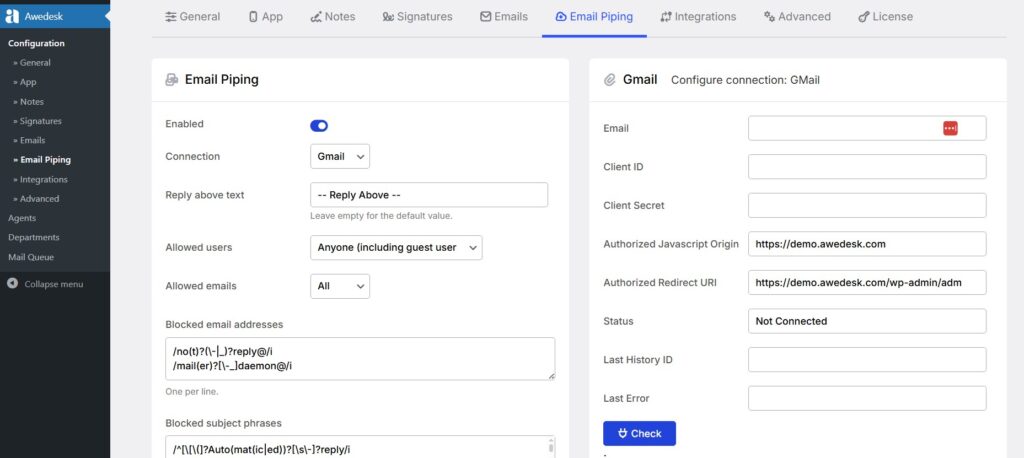
A WordPress business needs more than email. It needs structured conversations. With Awedesk, email piping allows customers to send emails as usual while agents reply inside the support interface. This keeps the customer experience familiar while giving your team a proper workflow behind the scenes. You do not lose the convenience of email, but you gain organization, visibility, and control. That is a major difference between simply receiving messages and actually managing support.
Mistake 3: Responding too slowly
Slow response times damage trust quickly.
Customers usually understand that complex issues can take time. What frustrates them is silence. If they do not know whether their message was received, who is handling it, or when they can expect a reply, they start to feel ignored.
This is especially risky for WooCommerce stores, membership sites, and online course businesses. A delayed support response can block a purchase, interrupt access, or create frustration during onboarding. In those moments, speed matters.
Many WordPress businesses create slow support by accident. Requests are scattered across channels. There are no departments. No one is clearly responsible for first response times. The team spends more time locating requests than solving them.
A stronger process starts with visibility.
When tickets are organized in one place, assigned correctly, and grouped by department, your team can move faster. Sales questions can go to one team. Technical support can go to another. Billing issues can be handled separately. That simple structure reduces internal delays and helps customers reach the right person sooner.
Mistake 4: Making customers repeat themselves
Few support experiences feel worse than explaining the same issue multiple times.
This happens often when businesses use disconnected tools. A customer fills out a contact form, then receives an email reply from a different address, then gets asked again for account details, order information, or screenshots. If the conversation moves between inboxes or staff members, the customer has to rebuild the story from the beginning.
That creates friction that feels unnecessary.
For WordPress businesses, this problem often appears when support is not connected to the rest of the site. If an agent cannot quickly see a customer’s order history, membership status, or previous tickets, the conversation slows down immediately.
The better setup is one where context is easy to access.
Awedesk works especially well here because it fits naturally into WordPress. When support lives in the same environment as your store, membership site, or digital product business, it becomes much easier to connect the dots. That saves time for your team and reduces frustration for your customers.
Mistake 5: Not separating support into departments
As businesses grow, not all support requests should go into the same queue.
This is one of the most overlooked improvements WordPress businesses can make. A single inbox may feel manageable early on, but it eventually turns every request into a sorting exercise. Technical issues, billing questions, pre-sales conversations, and refund requests all compete for attention.
That slows everyone down.
Departments make support easier to manage because they match requests to the right team from the start. Customers get better answers faster. Agents spend less time forwarding messages internally. Managers get a clearer view of workload.
Awedesk’s department system is especially useful for growing WordPress businesses because it creates multiple inboxes without forcing you into a complicated external platform. You can build a support structure that matches your business model, whether you run an ecommerce site, a course platform, a service business, or a membership community.
This matters because growth usually adds complexity before it adds clarity. Departments give you clarity early.
Mistake 6: Using a contact form as the entire support system
A contact form is useful, but it should not be your whole support strategy.
Many WordPress businesses rely on a basic form because it is easy to install. The issue is that a form only captures a message. It does not provide workflow, ownership, tracking, or a full support experience. Once the message is sent, the business still needs a process for handling it properly.
Without that process, requests become hard to prioritize. Agents may not know what is urgent. Customers may not know whether their issue is in progress. Managers may not know how much support volume the business is actually handling.
A proper help desk setup turns incoming messages into actionable tickets.
That shift is important because it changes support from reactive to organized. Instead of simply receiving inquiries, you create a system where every request has a place, a status, and a responsible person.
Mistake 7: Ignoring mobile support workflows
Support does not only happen from a desktop.
WordPress business owners and support agents often work across devices. That is particularly true for small teams, founders, and community managers who need to stay responsive throughout the day. If your support system is difficult to manage on mobile, response times can slow down whenever someone is away from their desk.
This is a practical issue that many businesses underestimate.
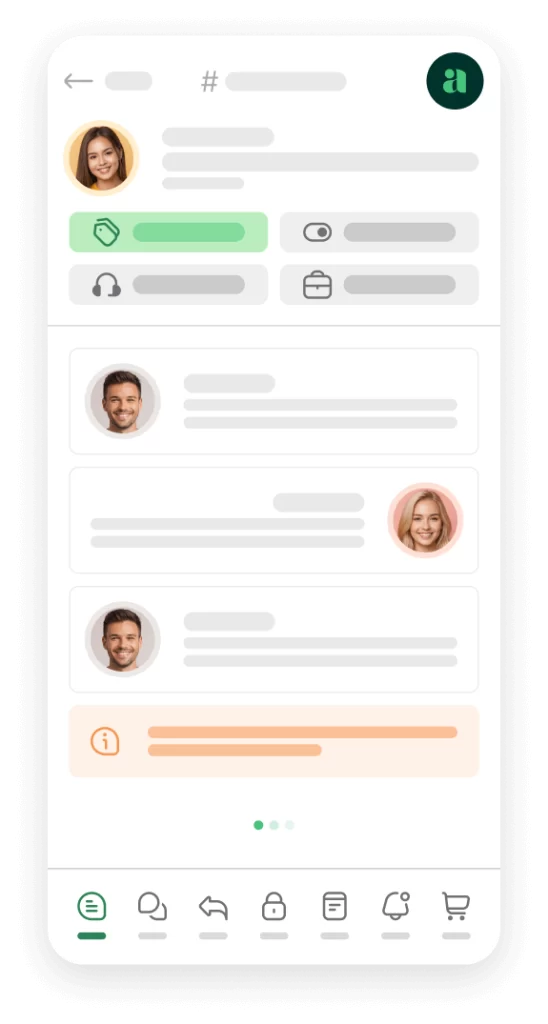
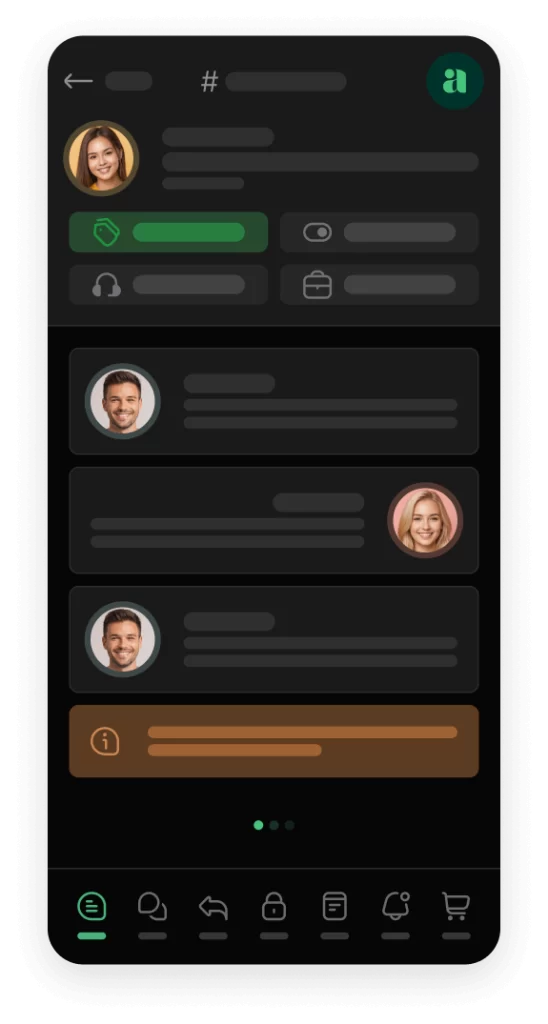
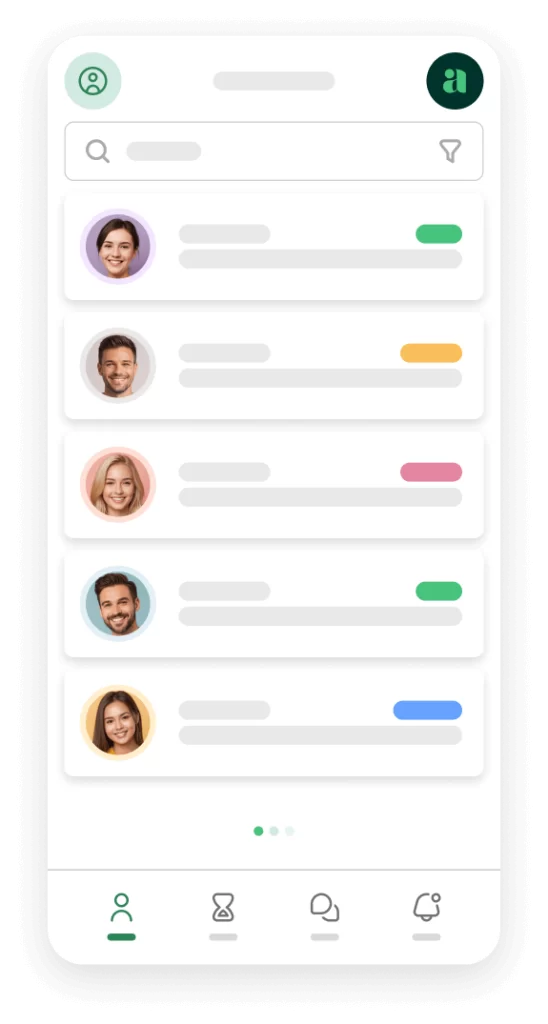
Awedesk stands out here because it includes a native mobile app for agents. That gives teams a real advantage when handling urgent requests, follow-ups, or high-volume periods. For businesses that need flexibility, mobile support is not just convenient. It helps maintain service quality consistently.
A support process should fit real business operations. That includes the way your team actually works each day.
Awedesk App
All the bells & whistles of our platform can be easily accessed on mobile, any and all of your Agents can handle any issue on the go.




Mistake 8: Failing to connect support with ecommerce and membership data
WordPress businesses often depend on tools like WooCommerce, Easy Digital Downloads, membership plugins, and custom post types.
When support is disconnected from those systems, every ticket takes longer to handle. Agents must open extra tabs, search manually, or ask the customer for details that should already be available. That increases handling time and makes support feel less professional.
A connected support workflow changes that.
When your support desk integrates with the rest of your WordPress setup, agents can understand the customer’s situation faster. They can see what was purchased, what may have gone wrong, and which part of the site the issue relates to. That makes support more accurate and more helpful.
For WordPress businesses, this kind of integration is often more valuable than adding another external SaaS tool. It keeps operations inside the ecosystem you already use and control.
Mistake 9: Overlooking the community side of support
Many WordPress businesses are no longer just stores or content sites. They are communities.
This is especially true for membership brands, creators, online educators, and businesses building recurring revenue through engagement. In these cases, support and community management overlap. A customer may need technical help, but they may also need guidance, onboarding, or direction inside the community.
If those experiences are disconnected, the member journey feels fragmented.
That is why businesses building communities should think beyond a generic help desk model. They need support that fits naturally into the broader WordPress experience. Awedesk works particularly well for this because it integrates with platforms like PeepSo, making it easier to support members in a way that feels connected to the community itself.
When support and community work together, members feel guided rather than bounced around.
Mistake 10: Measuring support only by whether the issue was answered
Answering a ticket is not the same as delivering good support.
Some businesses look at support and think everything is fine because messages eventually receive replies. But that misses the bigger question. Was the issue resolved quickly? Did the customer feel understood? Did the process increase confidence in the business?
Support should be evaluated by experience, not just completion.
A customer who gets a correct answer after several delays, repeated explanations, and unclear updates may still leave with a negative impression. On the other hand, a customer whose issue is handled clearly and efficiently often becomes more loyal, even if the original problem was frustrating.
This is why systems matter so much. Good support is not only about the quality of the answer. It is about the quality of the journey.
How to fix these customer support mistakes
The solution is not to work harder inside a broken process.
The solution is to create a support setup that matches the way WordPress businesses actually operate.
Start by centralizing support. Bring email, tickets, and agent replies into one workflow. Make sure every request has clear ownership. Separate conversations by department so the right person sees the right issue sooner. Reduce the need for customers to repeat information by keeping history and context available. Connect support to the tools your business already runs on, including ecommerce, membership, and community features.
Most importantly, keep support inside WordPress when that gives you more control.
That is where Awedesk becomes a practical advantage. Instead of forcing your team into an external support platform with per-agent costs, limited flexibility, and weak WordPress integration, you can run support where your business already lives. You keep ownership of the platform. You avoid limits on agents and tickets. You create a support process that grows with your business instead of fighting against it.
For community-driven businesses, this becomes even more valuable. If you are building a member experience with PeepSo, your support system should feel like part of that environment, not a separate tool chain that creates extra friction.
Building a better support experience on WordPress
The best support systems are not always the most complicated. They are the most consistent.
Customers want to know that their message will reach the right team, that they will not need to repeat themselves, and that help will arrive without confusion. For WordPress businesses, achieving that depends less on adding more plugins and more on choosing the right workflow.
A strong support process improves customer satisfaction, protects recurring revenue, and helps small teams operate with more confidence. It also creates a better internal experience for agents, because they spend less time sorting through chaos and more time solving real issues.
That is the real goal. Support should not feel like damage control. It should feel like part of a reliable business.
Conclusion
Common customer support mistakes usually begin with good intentions.
A business starts small, handles messages however it can, and keeps moving forward. But growth exposes every weak point in the process. Shared inboxes become confusing. Response times slow down. Customers repeat themselves. Teams lose visibility. The support experience starts hurting trust instead of building it.
For WordPress businesses, the fix is not complicated, but it does need to be deliberate.
You need structure, ownership, context, and a system that fits WordPress rather than working around it. That is why a WordPress-native help desk approach is so effective. It gives you control over the customer experience while keeping your workflows connected to the rest of your business.
Awedesk makes that possible in a practical way. It gives growing WordPress businesses departments, email piping, mobile access for agents, unlimited agents and tickets at a fixed price, and integrations that make support more useful across stores, memberships, and communities.
When support is organized well, it stops being a problem area and starts becoming one of the reasons customers stay.