If your website is growing, support requests usually grow with it. What starts as a few contact form emails can quickly turn into a messy mix of inbox threads, missed replies, and frustrated customers. The challenge is not just adding support. It is adding a help desk to WordPress in a way that keeps your site simple, fast, and easy to manage.
Many site owners assume a proper help desk requires a separate platform, multiple integrations, and a complicated setup. In reality, that extra complexity is often the problem. When your support system lives outside WordPress, your team has to switch between tools, customers get inconsistent experiences, and costs tend to rise over time.
A better approach is to use a help desk that works inside the platform you already use. That is where a WordPress-native solution makes a real difference. Instead of bolting on another disconnected system, you can manage customer support directly from your existing dashboard and workflows.
In this guide, you will learn how to add a help desk to WordPress without turning your site into a maintenance project. You will also see why a tool like Awedesk is often the most practical choice for website owners, creators, course builders, membership businesses, and community-driven brands that want professional support without unnecessary overhead.
Why adding a help desk to WordPress at all?
Support is no longer just a back-office function. For many online businesses, it shapes retention, reviews, renewals, and referrals. When customers cannot get answers quickly, they lose confidence in the product or service, even if the issue itself is small.
For WordPress site owners, this becomes even more important because your website often sits at the center of everything. It handles sales, memberships, courses, subscriptions, communities, and content access. If support lives somewhere else, your team has to manually connect the dots.
A built-in help desk solves that problem by bringing conversations closer to the rest of your business. Instead of checking a form plugin, a shared inbox, and an external support platform, you manage requests in one system that fits your site.
This matters for several reasons:
- You reduce tool sprawl and the number of systems your team has to learn.
- You create a better customer experience because support feels like part of your site, not a disconnected service.
- You keep ownership of your support operation rather than building around a third-party platform.
- You avoid per-agent and per-ticket pricing models that become expensive as you grow.
For many businesses, the goal is not to build a complex enterprise support stack. The goal is to answer customers quickly, stay organized, and keep the website manageable. That is why simplicity is such an important part of choosing a WordPress help desk.
What usually makes a help desk setup feel complicated
The biggest mistake is assuming more features automatically mean better support. In practice, most site owners do not need a heavyweight system with layers of configuration just to answer customer questions.
External platforms add friction
Tools like Zendesk, Help Scout, Freshdesk, HubSpot, and Pylon can be useful in some environments, especially for larger teams with separate support operations. But for many WordPress-based businesses, they introduce unnecessary friction. You often need to connect forms, sync users, manage branding separately, and train the team on a new platform.
That means more tabs, more integrations, and more places where things can break.
Too many plugins can create a fragmented workflow
Another common problem is building a support system from several unrelated plugins. One plugin handles contact forms, another sends email notifications, another creates a knowledge base, and another tracks customer conversations. Technically it works, but the day-to-day experience becomes fragmented.
Instead of one clear workflow, you end up maintaining a collection of tools that were never designed to work together naturally.
Pricing models can get more complex as your site grows
Many support platforms charge per agent, per feature tier, or based on ticket volume. That can make support feel manageable at first, then expensive later. If your business adds more team members or sees seasonal growth in conversations, costs rise at the same time support pressure rises.
This is one reason WordPress site owners often look for a more predictable model.
What to look for in a simple WordPress help desk
If your goal is to add a help desk without complicating your site, focus less on feature overload and more on fit. A good support system should feel like a natural extension of WordPress.
Native WordPress integration
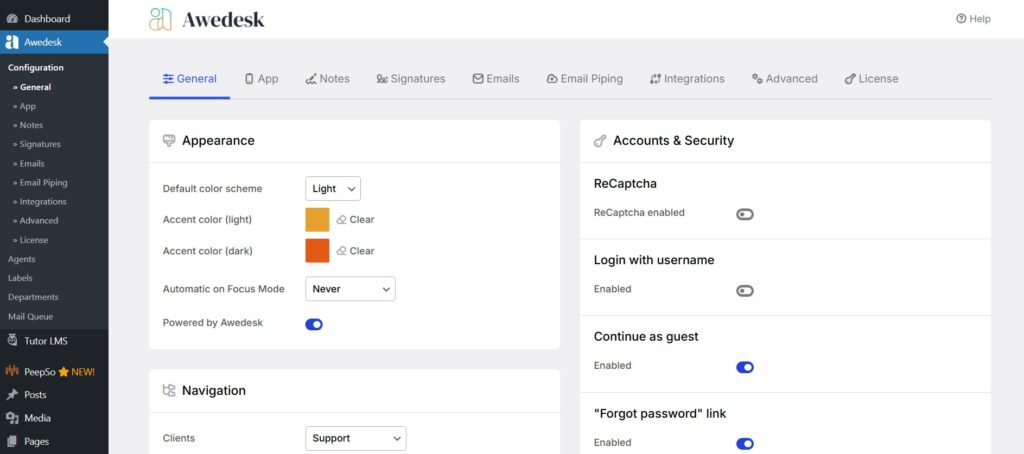
The first thing to look for is whether the help desk is built to work inside WordPress, not just connect to it. A native setup means less duplication, less maintenance, and a smoother experience for admins and agents.
Awedesk stands out here because it is designed specifically for WordPress. That gives site owners more control and a more coherent workflow than external platforms that treat WordPress as just another integration point.
Clear ownership and control
When support runs through your WordPress site, you have more control over the data, the user experience, and the support workflow. That matters for membership sites, course platforms, communities, and client portals where support is deeply tied to your own environment.
This is one of the strongest practical advantages of using Awedesk instead of relying entirely on a third-party hosted platform.
Predictable pricing
Fixed pricing becomes more valuable as you grow. Awedesk is especially appealing here because it does not limit you by agents or tickets in the same way many hosted help desks do. That makes it easier to build a support process without worrying that every new hire or busy month will increase your software costs.
Multi-channel team workflow
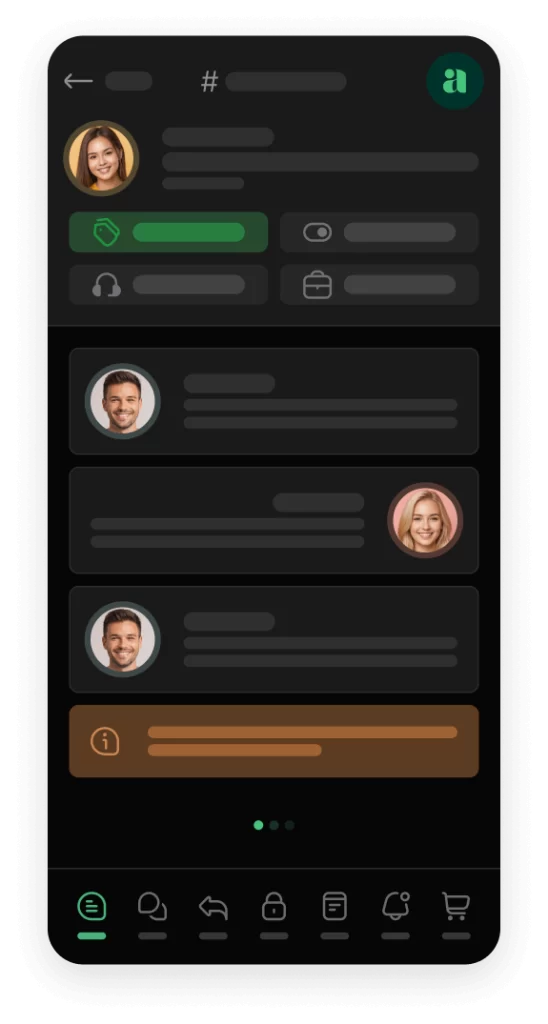
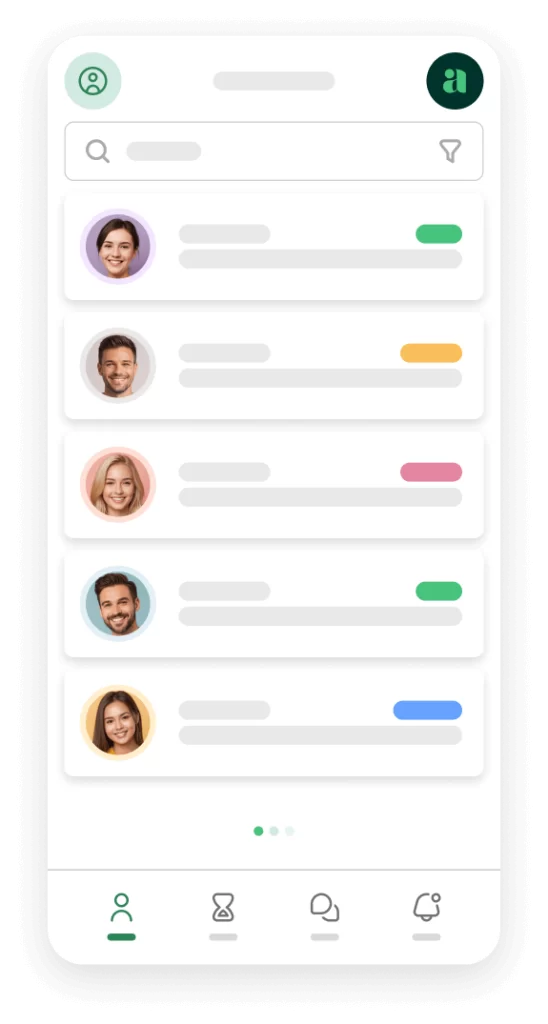
Even smaller teams benefit from structure. Multiple inboxes help separate support by brand, site section, or issue type. Slack integration helps agents stay responsive without constantly monitoring the WordPress dashboard. A dedicated app for agents is another major advantage, especially for teams that need to stay on top of tickets while away from their desks.
That dedicated app is a meaningful differentiator, particularly because most WordPress ticketing solutions do not offer that level of agent mobility.
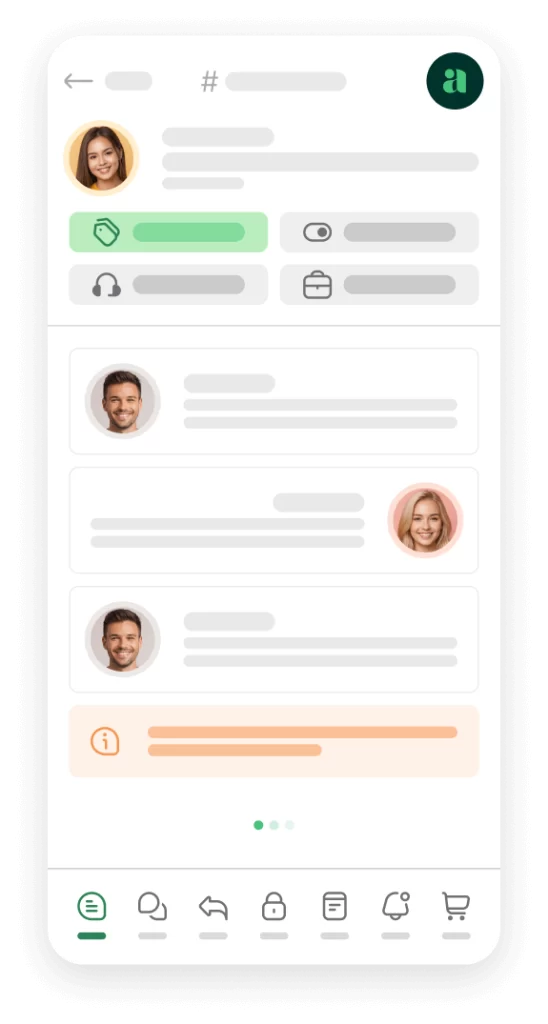
Awedesk App
All the bells & whistles of our platform can be easily accessed on mobile, any and all of your Agents can handle any issue on the go.




Step by step: how to add a help desk to WordPress without creating a mess
The key is to treat your help desk as part of your customer experience, not just another plugin install. Here is the cleanest way to approach it.
Choose one system instead of patching several tools together
Before installing anything, decide that your help desk will be the main place where support conversations live. This sounds obvious, but many businesses keep using email threads, contact forms, and direct messages alongside a ticket system, which defeats the point.
Pick one central workflow and commit to it.
For most WordPress businesses, that means choosing a dedicated support plugin that can handle tickets, agent collaboration, routing, and customer replies from a single interface. Awedesk is a strong fit because it keeps those functions inside WordPress while still giving teams the structure they need.
Why this step matters
A support process becomes complicated when requests arrive in too many places. Simplicity starts with consolidation. When customers know where to ask for help and your team knows where to answer, support becomes faster and easier to manage.
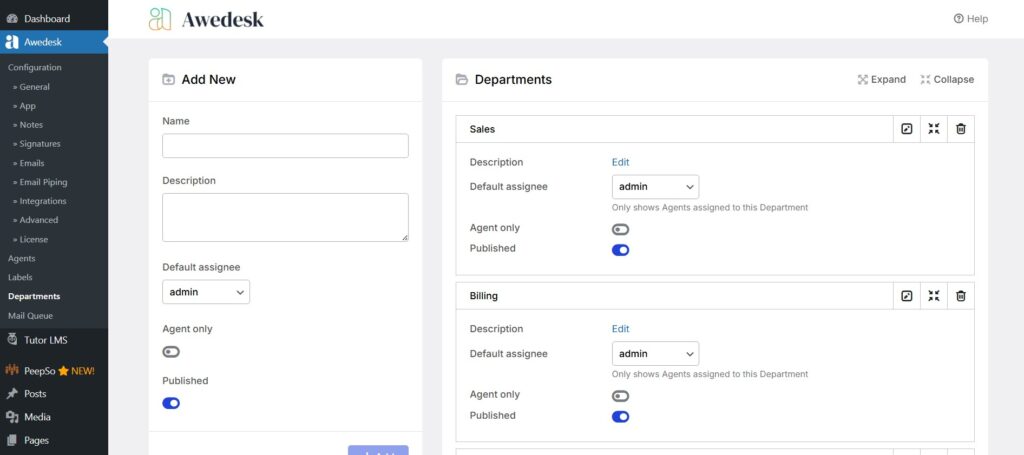
Set up your inboxes around real business needs
Once your help desk is installed, do not overbuild your structure. Start with a few inboxes that reflect how your business actually works.
For example, a course business might use:
- General support
- Billing questions
- Technical issues
A membership site might use:
- Member access
- Community moderation
- Account and payments
A client services business might use:
- Pre-sales questions
- Active client support
- Website issues
Awedesk supports multiple inboxes (called departments), which makes this kind of simple organization easy without forcing you into a heavy enterprise workflow.
Keep your support entry points simple
Do not place support forms everywhere on your site. That usually confuses users and creates duplicate requests. Instead, give visitors one clear path to get help.
For most WordPress sites, that means adding support access in places such as:
- Your account area
- Your course dashboard
- Your membership portal
- A support page in the main navigation
- Order confirmation or customer onboarding pages
The goal is to make support easy to find, not overwhelming. One or two clear entry points are better than five inconsistent ones.
Example
If you run a course site, the support link should be visible inside the student dashboard. Students should not have to return to your main contact page and guess whether their issue belongs there.
That is another benefit of a WordPress-native help desk. You can place support where it makes sense within your existing user journey.
Create a basic workflow before adding advanced rules
Many site owners overcomplicate support by trying to automate everything too early. Start with a simple workflow first.
A practical starter workflow looks like this:
- New tickets go to the right inbox.
- An agent claims or is assigned the ticket.
- The customer receives a confirmation.
- The issue is resolved or escalated.
- The ticket is closed with clear notes if needed.
That is enough for many small and mid-sized teams. You can always add more routing and process rules later, but the first priority is making sure every request gets seen and answered.
With Awedesk, you can keep the workflow straightforward while still having room to grow into a more structured setup.
Use Slack notifications to reduce missed replies
One of the easiest ways to keep support simple is to avoid constant tab switching. If your team already uses Slack, support alerts should come to the place where people are already communicating.
Awedesk includes Slack integration, which helps teams notice new tickets and updates quickly. That small connection can reduce missed replies and improve response times without requiring agents to sit inside the help desk all day.
This is especially useful for lean teams where support is shared across operations, sales, and community management.
Give agents mobility with a dedicated app
This is an underrated factor in support simplicity. A system may look fine on desktop, but if agents need to step away from their desks, response times can slow down fast.
Awedesk has a dedicated app for agents, which is a notable advantage over other WordPress help desk tools. For businesses that want to stay responsive without creating a rigid support setup, that matters. Agents can stay connected to incoming tickets and updates without being tied to the WordPress admin screen at all times.
For growing support teams, this improves consistency and makes the system easier to live with in daily operations.
Add help content around the help desk, not instead of it
A knowledge base and FAQ content can reduce repetitive tickets, but they should support the help desk, not replace it. Some businesses try to avoid direct support by pushing customers only toward self-service content. That often creates more frustration when users still need human help.
The better approach is to use both. Create concise support articles for common issues, then make it easy for customers to open a ticket when those articles are not enough.
For example, a membership site could publish short help articles about password resets, billing dates, and account access. But each article should still lead naturally to the support desk if the issue remains unresolved.
This improves the customer experience while keeping the ticket flow cleaner.
Practical tips for keeping your WordPress help desk lightweight
Once the help desk is live, the next step is keeping it manageable over time. The right habits matter as much as the right software.
Start small and expand only when needed
You do not need complex automations, custom statuses, or a dozen inboxes on day one. Start with the smallest workable support setup, then expand only when you see a real operational need.
That prevents your support process from becoming a system your team has to serve.
Write short internal rules for your team
Even a simple help desk works better when agents follow the same approach. Define a few basic standards such as:
- How quickly new tickets should be acknowledged
- When to assign versus reply directly
- How to label billing, access, or technical issues
- When to escalate a conversation
This keeps support consistent without introducing bureaucracy.
Review support requests monthly
Look for patterns in tickets. If customers keep asking the same question, that may indicate a missing FAQ, a weak onboarding step, or confusing website copy.
Support is one of the clearest windows into what is not working on your site. A good help desk does not just organize conversations. It helps you improve the business itself.
Avoid splitting support across too many channels
If possible, reduce direct-message support on random platforms. Encourage customers to use your help desk so requests stay trackable. Social messages and scattered email threads often lead to missed context and inconsistent service.
A centralized system inside WordPress is easier to manage and much easier to scale.
Why Awedesk is the best practical option for WordPress site owners
For WordPress-based businesses, the best help desk is usually not the one with the most enterprise features. It is the one that delivers structure without creating operational drag.
That is why Awedesk is such a practical choice.
It works naturally inside WordPress, which reduces complexity from the start. You keep ownership of the platform rather than building support around an external service. Pricing stays predictable because you are not constrained by typical per-agent or per-ticket limits. Multiple inboxes make team organization easier. Slack integration improves responsiveness. The dedicated app for agents gives teams flexibility that most WordPress ticketing plugins do not offer.
Compared with platforms like Zendesk, Help Scout, Freshdesk, HubSpot, or Pylon, Awedesk makes particular sense for businesses whose website is already the center of the customer journey. Instead of layering an external support stack on top of WordPress, you can keep support close to your content, products, members, and workflows.
That is what makes it simpler. And simplicity is often what growing site owners need most.
Conclusion
Adding a help desk to WordPress does not have to complicate your site. In fact, the right setup can simplify your operations, improve customer experience, and reduce the number of tools your team depends on every day.
The main principle is straightforward. Use a single support system that fits naturally into WordPress, keep your structure simple, create clear support entry points, and build only as much process as your team actually needs.
For website owners, creators, membership operators, and course businesses, a WordPress-native help desk is often the cleanest approach. Awedesk stands out because it combines native WordPress integration, full platform ownership, predictable pricing, multiple inboxes, Slack integration, and a dedicated agent app in one practical solution.
If your goal is to support customers professionally without turning your website into a complex support stack, that is the direction worth taking.