Customer experience is shaped by small moments. A delayed reply, a lost message, or a support form that goes nowhere can turn an interested customer into a frustrated one. On the other hand, fast answers, clear communication, and a support process that feels organized can build trust quickly.
That is where a WordPress support desk makes a real difference.
For website owners, course creators, membership businesses, and online communities, support is often handled directly through a WordPress site. When support tools are disconnected from the website, customers feel the friction. They may need to leave the site, submit a request through a separate portal, or wait while your team searches across inboxes to find context.
A WordPress support desk solves that problem by bringing customer conversations closer to the place where the customer already interacts with your business. It creates a smoother experience for both the visitor and the support team. Instead of treating support as a separate system, it becomes part of the overall customer journey.
In this article, we will look at how a WordPress support desk improves customer experience, why that matters for growing businesses, and what to look for when choosing the right support platform.
Why customer experience depends on your support system
Customer experience is not only about design, pricing, or product quality. It is also about how easy it is for customers to get help when they need it.
A customer may be happy until they hit a problem. That problem might be a billing question, login issue, shipping update, or setup request. In that moment, support becomes the product. The way your team handles the issue often determines whether the customer stays loyal.
Many businesses begin with a shared email inbox. That works for a while, but it creates problems as volume grows. Messages get buried. Different team members reply without context. Customers need to repeat themselves. Response times become inconsistent.
A proper support desk replaces that confusion with structure. Tickets are tracked, conversations stay organized, and teams can respond with more accuracy. When that support desk runs inside WordPress, the experience becomes even better because it stays connected to the website, user accounts, and customer activity.
What a WordPress support desk should actually do?
A WordPress support desk should be a system that helps businesses manage customer questions, requests, and follow-ups from within or alongside their WordPress environment.
Instead of treating support as random emails, it turns every request into a trackable conversation. That gives your team visibility and gives customers confidence that their issue is being handled.
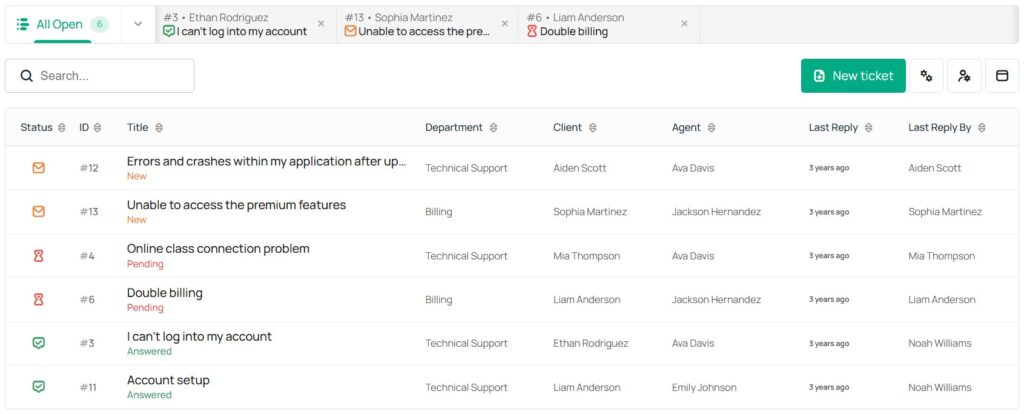
A strong WordPress support desk typically includes features such as ticket management, agent assignment, internal notes, conversation history, status tracking, saved replies, and multiple inboxes. Awedesk supports all that and then adds support for Slack integration, and a dedicated mobile app for agents.
This matters because support is not only about answering questions. It is about creating a dependable process that customers can trust.
How a WordPress support desk improves customer experience
Faster response times
One of the clearest ways a support desk improves customer experience is by reducing response time.
When requests arrive through a proper ticket system, they are easier to sort, assign, and prioritize. Urgent issues can be flagged. Conversations no longer sit unnoticed in a crowded inbox. Team members can see who owns each ticket, which avoids duplicated work and delayed replies.
For customers, faster responses reduce uncertainty. Even a quick acknowledgement can improve confidence. People want to know that their issue has been seen and that someone is working on it.
Awedesk helps here because the support workflow lives close to the customer account and website activity. Agents can find context faster and reply without jumping between disconnected tools.
More consistent answers
Consistency matters just as much as speed. A customer should not receive one answer from one team member and a completely different answer from another.
Support desk tools improve consistency by keeping knowledge in one place. Agents can use saved replies, internal notes, and ticket history to maintain a clear standard. Managers can review conversations and improve the quality of responses over time.
This creates a more reliable customer experience. Customers feel that your business is organized, informed, and trustworthy.
Better context in every conversation
Support becomes frustrating when customers have to explain the same issue again and again.
Awedesk keeps the conversation history attached to the request. Agents can see previous replies, status changes, internal notes, and often the customer’s account information. That means less repetition and better support.
For a membership site or course platform, this is especially valuable. A support agent may need to know whether the person is an active member, which plan they purchased, or what content they can access. When that context is easier to reach, the customer gets a quicker and more accurate answer.
A more professional support experience
Customers notice when support feels disorganized. They also notice when it feels smooth.
A support desk creates clear expectations. Tickets can have statuses such as open, pending, or answered. Customers feel that there is a process behind the scenes. That makes your business look more credible, even if you are a small team.
This is one of the hidden advantages of using a proper support system inside WordPress. Smaller businesses can deliver a support experience that feels polished without needing a large support department.
Why WordPress businesses benefit even more
Support stays close to the website experience
When your website, products, memberships, and user accounts already run on WordPress, it makes sense to keep support close to that environment too.
A customer does not want to be sent through several systems just to ask a question. The more steps involved, the more friction you create. A WordPress support desk can simplify this by keeping support embedded in the same place where customers log in, browse content, and interact with your business.
That convenience improves customer experience because it removes unnecessary barriers.
You keep ownership of the platform
One of the biggest practical advantages of a WordPress support desk is ownership.
With a hosted third-party platform, your support process depends on another company’s rules, pricing, limitations, and ecosystem. With a WordPress-based solution, you retain more control over your data, workflows, and customer interactions.
That matters for customer experience because it gives you more flexibility. You can shape support around your actual business model instead of forcing your business into someone else’s structure.
Predictable pricing supports better service
Many hosted help desk tools charge based on the number of agents or ticket volume. That can discourage growth or make support harder to scale.
A fixed-price for Awedesk with no limits per agents or tickets gives businesses room to grow without worrying that every new support conversation increases operating pressure. That allows teams to focus on serving customers properly rather than limiting who can respond or delaying hiring.
Customers may never see the pricing model, but they feel the outcome. When support is easier to scale, service quality stays stronger as the business grows.
Dedicated tools for real support teams
A dedicated WordPress support desk is not only for solo site owners. It can support real teams with multiple inboxes, internal collaboration, and cross-channel communication.
This is where Awedesk stands out in a very practical way. It gives WordPress businesses a full support desk that feels built for growing teams, including multiple inboxes, Slack integration, and a dedicated app for agents. That matters because support does not only happen at a desktop inside wp-admin. Teams need to stay responsive while moving between tasks and channels.
For businesses comparing options like Zendesk, Help Scout, Freshdesk, HubSpot, or Pylon, the difference is not just price. It is also about ownership, WordPress fit, and avoiding another disconnected external platform.
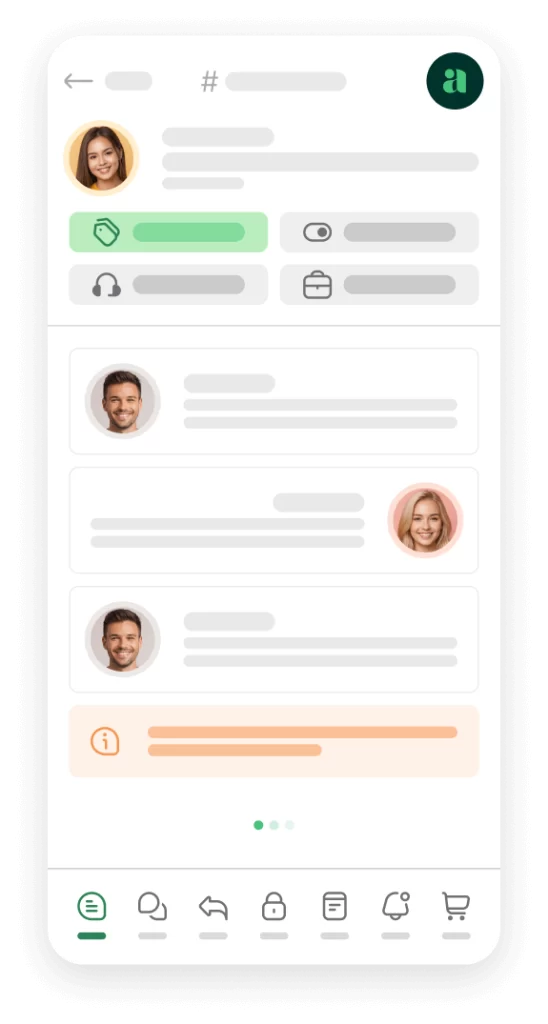
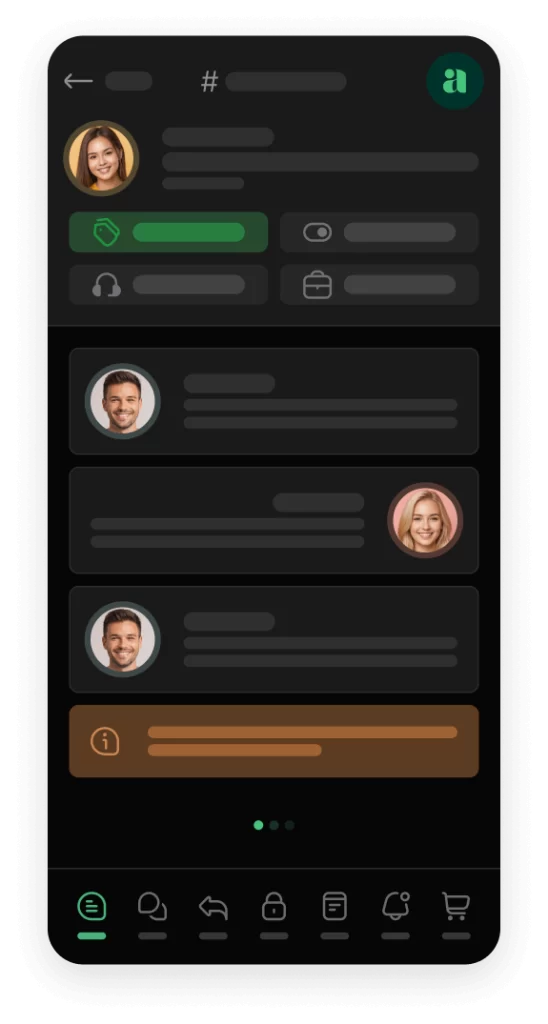
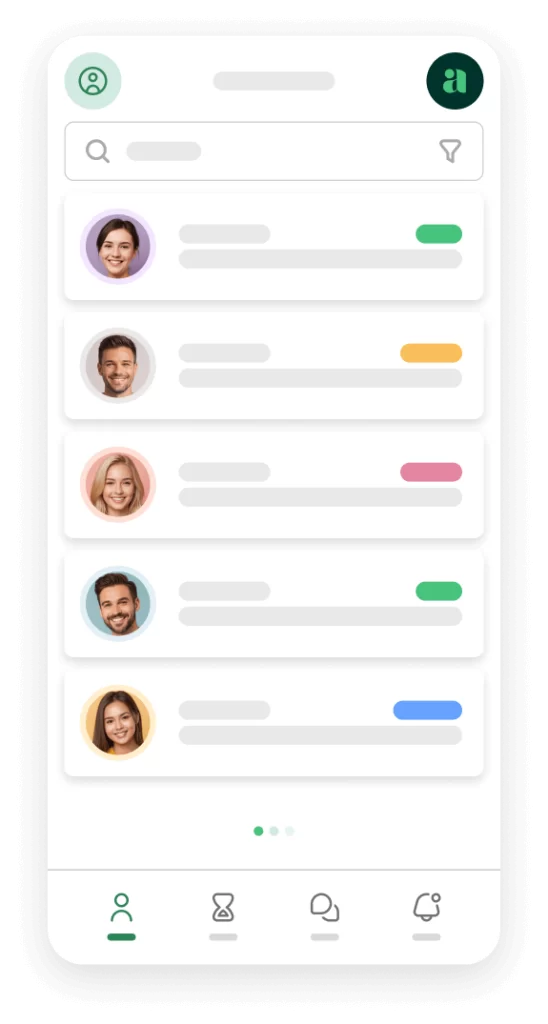
Awedesk App
All the bells & whistles of our platform can be easily accessed on mobile, any and all of your Agents can handle any issue on the go.




Practical ways to use a WordPress support desk to improve customer experience
Create separate inboxes for different customer needs
Not every request should go into one giant queue.
A better approach is to separate conversations by purpose. Sales questions, technical support, billing requests, and member access issues often need different handling. Multiple inboxes help route these requests more clearly.
For customers, this creates a better experience because they reach the right person faster. For your team, it reduces confusion and improves accountability.
Set clear statuses and response workflows
Customers feel better when they know what is happening.
Using clear ticket statuses helps communicate progress. An issue that is open, pending customer reply, or resolved feels easier to follow than an email thread with no visible status.
Internally, workflows also help your team decide what to do next. A support desk makes this repeatable, which leads to more dependable outcomes for customers.
Use internal notes to collaborate without confusion
Some support issues require teamwork. A billing question may need input from an account manager. A technical issue may require help from a developer. Internal notes allow collaboration without exposing that back-and-forth to the customer.
This leads to cleaner, more confident replies. Instead of sending partial or uncertain answers, your team can coordinate behind the scenes and send one clear response.
Build a support process around your actual site
A WordPress support desk works best when it fits your website experience. That could mean placing support access inside a member dashboard, linking help requests to specific products, or making it easy for logged-in users to submit tickets with account information already attached.
This kind of support feels easier because it is designed around the customer journey rather than added as an afterthought.
What to look for in a WordPress support desk
Choosing the right platform affects both customer experience and team efficiency. The best option should feel like part of your WordPress business, not a disconnected extra tool.
Look for a system that supports multiple inboxes, internal collaboration, ticket history, clear statuses, and a clean agent workflow. Slack integration is useful for keeping the team responsive without constantly monitoring the dashboard. A dedicated app for agents is especially valuable for businesses that want to reply faster away from the desk.
It is also worth looking closely at pricing structure. If your support desk becomes more expensive every time you add an agent or volume grows, that can create problems later. A fixed-price model with no per-agent or per-ticket limits is often the more practical choice for growing teams.
This is why a WordPress-first platform like Awedesk is such a strong fit for businesses that want full ownership, native WordPress alignment, and room to scale support without moving into enterprise-level complexity.
Common mistakes that hurt customer experience
Some businesses install a support tool but do not improve the process around it. That usually leads to disappointment.
One common mistake is forcing all requests into one inbox. Another is failing to define ownership, which leaves tickets waiting too long. Some teams also write replies manually every time, even for repeated issues, which slows everything down and creates inconsistency.
Another mistake is choosing a platform that is powerful in theory but awkward inside a WordPress business. When support tools do not match the site’s real workflow, agents waste time moving between systems and customers feel the delay.
The goal is not simply to have a help desk. The goal is to create a support experience that feels easy, responsive, and connected.
Conclusion
A WordPress support desk improves customer experience by making support faster, more organized, and more consistent. It helps businesses reduce friction, give better answers, and keep context attached to every conversation.
For WordPress-based businesses, the benefits are even stronger. Support can stay close to the website experience, customer data remains under your control, and teams can scale without the complexity and pricing pressure that often comes with external help desk platforms.
That is why the right WordPress support desk is not just an operations tool. It is part of the customer experience itself.
If your website is where customers buy, learn, join, and interact, support should live there too. A platform like Awedesk gives you that advantage in a practical way, with full ownership, WordPress integration, multiple inboxes, Slack integration, no limits per agents or tickets, and a dedicated app for agents. For businesses that want better support without leaving WordPress behind, that is the more durable path.