Awedesk 1.9.3 is one of the largest feature releases we have shipped so far. This update expands Awedesk beyond ticket handling into a more complete support operations platform, with new tools for reporting, team productivity, privacy compliance, spam control, ecommerce context, canned responses, ticket management, and customer self-service.
For admins, 1.9.3 adds better visibility into what is happening across the support desk. For agents, it reduces repetitive work and makes ticket handling faster. For customers, it improves privacy options, ticket clarity, and the overall support experience.
Below is a detailed look at what is new, why it matters, and how teams can use these features in day-to-day support workflows.
New Admin Dashboard and Support Statistics
Awedesk 1.9.3 introduces a new admin dashboard designed to give support teams a clear operational view of their helpdesk.
Admins can now see key ticket metrics such as open tickets, tickets created within a selected time range, unassigned tickets, overdue tickets, and resolved tickets. The dashboard also includes created-versus-resolved trends, making it easier to spot whether the support queue is growing, shrinking, or holding steady.
From an admin perspective, this is useful for staffing, prioritization, and accountability. For example, if ticket creation is rising faster than resolutions over the last 30 days, a manager can quickly see that the team may need additional coverage, workflow adjustments, or better triage rules.
The dashboard also adds staff-focused statistics, including staff replies, tickets touched, resolved tickets, average first response time, and average resolution time. These metrics help support managers understand both workload and performance without manually digging through ticket lists.
A practical use case: a support lead can filter activity by date range and agent to see who is carrying the heaviest queue, who has overdue tickets, and which tickets have not received a staff response yet. This makes one-on-one coaching, workload balancing, and escalation planning much easier.
Staff Performance and Attention Lists
Beyond high-level statistics, the dashboard includes attention-oriented lists such as oldest assigned open tickets, assigned overdue tickets, and tickets with no staff response.
These lists are important because they turn reporting into action. Instead of only showing numbers, Awedesk now helps admins find the specific tickets that need attention.
For example, if the dashboard shows five overdue tickets, the support manager can immediately see which tickets they are, who owns them, and where to intervene. This is especially useful for teams with multiple agents or departments, where tickets can otherwise get buried.
For agents, this can mean fewer surprises. Managers can identify bottlenecks earlier, and tickets are less likely to sit untouched until a customer follows up.
Predefined Replies
Awedesk 1.9.3 adds Predefined Replies, one of the most practical productivity features for support teams.
Admins can create reusable reply templates from a dedicated admin page. Each predefined reply has a title, rich text content, and a published state. Replies can be searched, expanded, collapsed, edited, unpublished, or deleted.
From the agent side, predefined replies are available directly inside the ticket reply editor. Agents can search for a saved response and insert it into the reply without leaving the ticket.
The benefit is straightforward: faster, more consistent support.
Common use cases include:
- Refund policy explanations
- License reset instructions
- Troubleshooting steps
- Account verification replies
- Escalation messages
- Known issue responses
- Setup instructions for common integrations
For example, if customers frequently ask how to connect an email piping inbox, an admin can create a predefined reply with the correct steps, screenshots or links, and recommended troubleshooting notes. Agents can then insert that answer in seconds, customize it if needed, and avoid rewriting the same response every day.
This also helps with quality control. New agents can rely on approved language, while experienced agents save time on repetitive answers.
Email Piping Spam Protection
Awedesk 1.9.3 adds a major spam protection layer for incoming emails handled through email piping.
Admins can now configure spam protection rules for piped email, including allowlisted email addresses, allowlisted domains, blocked email addresses, blocked domains, subject keywords, body keywords, link limits, attachment limits, and sender rate limits.
The feature supports two operating modes: quarantine and block.
In quarantine mode, suspected spam is stored for review instead of becoming a normal ticket or reply. In block mode, suspected spam can be rejected before it enters the support workflow.
This gives admins much more control over noisy inboxes. A support inbox connected to public-facing email addresses can easily attract spam, automated submissions, suspicious links, and repeated junk messages. With 1.9.3, teams can reduce clutter before it reaches agents.
Example use cases:
- Block known spam sender domains.
- Quarantine messages containing suspicious subject keywords.
- Limit emails with excessive links.
- Flag senders who submit too many messages in a short time.
- Allowlist trusted customer domains so important senders bypass spam checks.
- Prevent heavily automated spam from creating tickets.
For end users, the benefit is indirect but important: support teams spend less time handling junk and more time responding to real customer requests.
Spam Quarantine Admin Screen
To support the new spam protection system, Awedesk 1.9.3 adds a Spam Quarantine admin screen.
Admins can review quarantined, blocked, and released email records. The screen includes filters, status counts, source filtering, search, pagination, and record details.
Admins can also take direct actions from the quarantine screen, such as releasing a message, allowing a sender, blocking a sender, or deleting a spam record. Bulk actions are available as well, making cleanup faster when many messages are caught at once.
A practical example: if a legitimate customer message is quarantined because it contains too many links, an admin can inspect the email, release it, and allowlist the sender so future messages are not caught by the same rule.
This gives teams a safety net. Spam protection can be strong without being reckless, because admins still have review and recovery options.
Ticket List Bulk Actions
Awedesk 1.9.3 introduces bulk actions for ticket lists, allowing agents and admins to update multiple tickets at once.
Supported bulk actions include changing ticket status, assigning an agent, moving tickets to a department, marking tickets as spam, and moving tickets to trash where permitted.
This is especially useful for teams managing high ticket volume. Instead of opening each ticket individually, support staff can select a group of tickets and apply the same action in one workflow.
Example scenarios:
- Assign all billing-related tickets to the billing agent.
- Move a batch of misrouted tickets into the correct department.
- Close several resolved tickets after a cleanup review.
- Mark a group of junk tickets as spam.
- Move obsolete or duplicate tickets to trash.
Awedesk also reports how many tickets were updated, skipped, or failed, which gives staff better feedback after running a bulk action. That matters because bulk changes need to be transparent. If a ticket could not be updated due to permissions or invalid state, the user should know.
GDPR and WordPress Privacy Tools
Awedesk 1.9.3 adds deep integration with the native WordPress privacy workflow.
Awedesk now participates in WordPress personal data exports, personal data erasure requests, and the Privacy Policy Guide. This means site admins can use the standard WordPress privacy screens to manage Awedesk support data alongside other WordPress data.
Export coverage includes support tickets, replies, timeline messages, attachment metadata, staff notes connected to the requester or their tickets, satisfaction survey data where applicable, user support data, queued notification emails, and email piping spam quarantine records connected to the email address.
Erasure support is designed carefully. Support systems often cannot simply delete all historical records without damaging operational history. Awedesk handles this by removing disposable requester-linked records where possible and redacting retained support history where needed.
For example, a ticket may remain in the system for internal recordkeeping, but the requester’s identifying details, private notes, auth code, requester-authored messages, staff notes tied to the requester, survey comments, and attachment records can be anonymized or removed.
From an admin perspective, this helps with compliance and reduces manual work. From an end-user perspective, it gives customers a more formal path to request their data or request deletion where allowed.
Frontend Privacy Requests for Users
Awedesk 1.9.3 also adds privacy request options to the frontend preferences area.
Logged-in users can request a personal data export or request personal data deletion directly from their Awedesk preferences. Awedesk then creates the native WordPress privacy request and sends the standard confirmation email.
This is useful because it gives customers a clear self-service path. They do not need to know who to email or which WordPress admin screen exists behind the scenes. They can start the request from the same support area where they already manage their tickets and preferences.
For site owners, this creates a cleaner privacy workflow and keeps requests inside WordPress’ established confirmation and admin review process.
AweCommerce Integration
Awedesk 1.9.3 adds AweCommerce integration for the ticket sidebar. This gives support agents ecommerce context while viewing a customer ticket. The integration can surface customer information, order history, subscriptions, memberships, purchase totals, and related summary data, depending on available AweCommerce tables and customer records.
For agents, this reduces context switching. Instead of leaving Awedesk to investigate a customer’s purchase history, they can see relevant commerce details inside the ticket view.
Example: a customer opens a ticket saying they cannot access a product. With AweCommerce sidebar data, the agent can quickly check whether the customer has an active subscription, membership access, recent order, or purchase history before replying.
For ecommerce businesses, this can improve both speed and accuracy. Agents can make better decisions because they have more context at the moment they are answering the ticket.
AweCommerce will be available to the public in a matter of weeks. We are already making sure it works out of the box with Awedesk.
Enhanced EDD Software Licensing Integration
Awedesk 1.9.3 expands the Easy Digital Downloads integration, especially for Software Licensing.
The EDD sidebar can now include license upgrade path information, upgrade costs, upgrade URLs, recurring renewal context, next renewal dates, and renewal pricing where available.
This is valuable for product support and sales-support workflows. Agents often need to answer questions like:
- Can this license be upgraded?
- What upgrade options are available?
- How much would the upgrade cost?
- Is this license expired?
- What link should the customer use?
Instead of manually searching through EDD screens, agents can access upgrade information from the ticket sidebar and copy upgrade details when needed.
Example: if a customer asks whether they can upgrade from a single-site license to an unlimited license, the agent can view the available upgrade path and send the upgrade link directly in the reply.
This shortens the path from support conversation to customer action.
Editable Ticket Subjects
Awedesk 1.9.3 allows authorized staff to edit ticket subjects.
This is a small feature with a big workflow benefit. Customers often submit vague subjects like “Help,” “Problem,” or “Question.” Over time, unclear subjects make ticket lists harder to scan and support history harder to understand.
With editable ticket subjects, agents and admins can rename tickets to something more useful, such as:
- “License activation failing on staging site”
- “Refund request for duplicate order”
- “Cannot access membership after renewal”
- “Bug report: checkout error after coupon”
Awedesk also records a system timeline message when the subject changes, preserving transparency.
For admins, this improves ticket organization. For agents, it makes queues easier to scan. For customers, it can make follow-up communication clearer, especially when email notifications reference the ticket subject.
Automatic URL Detection in Replies
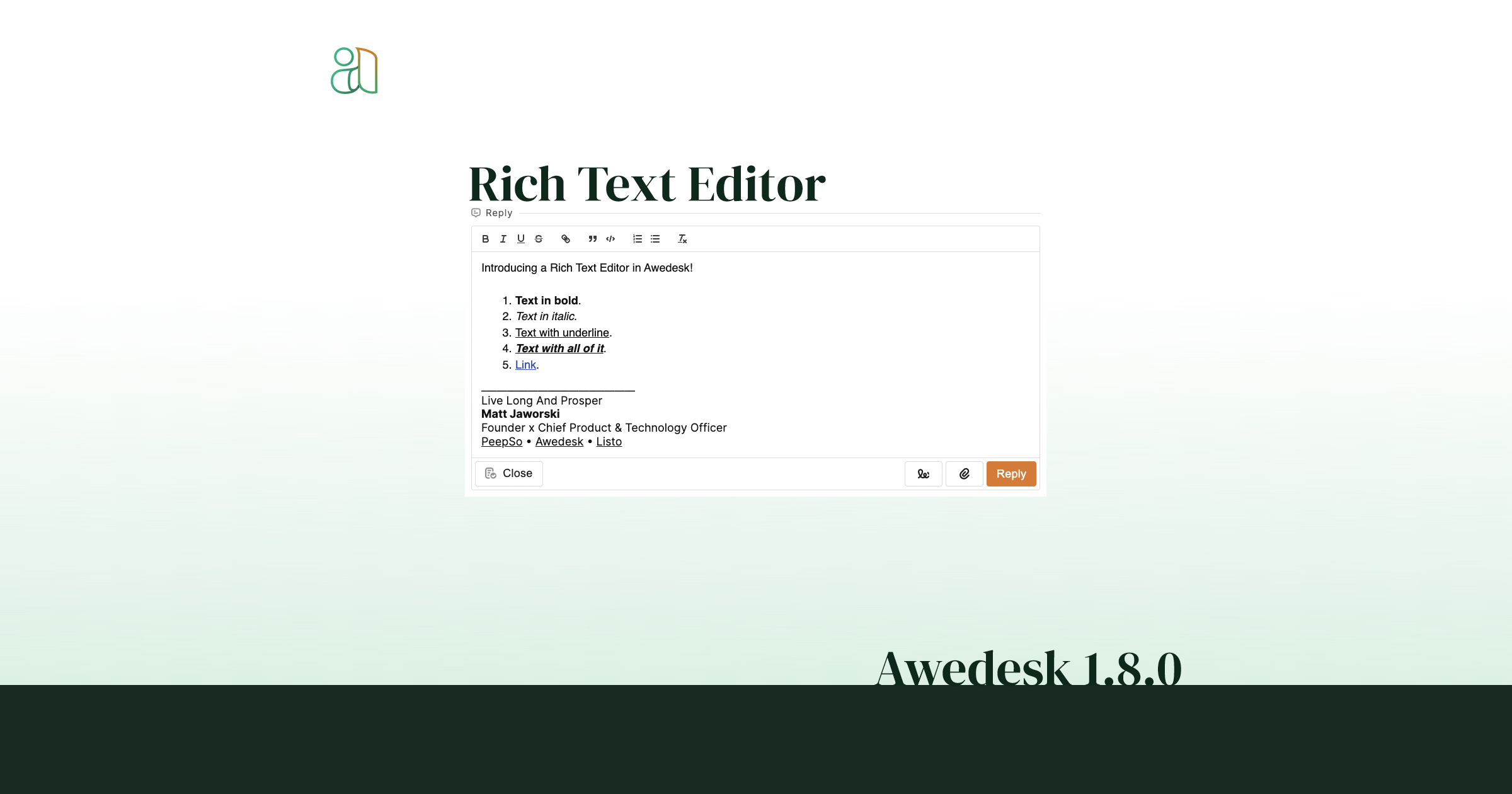
The rich text reply editor now automatically detects typed or pasted URLs and converts them into links.
This improves the day-to-day writing experience for agents and customers. When someone pastes a URL into a reply, Awedesk can turn it into a clickable link without requiring manual formatting.
Use cases include:
- Linking customers to documentation.
- Sharing checkout or renewal links.
- Sending account pages.
- Referencing public bug reports.
- Sharing screenshots or uploaded resources.
This reduces friction and helps prevent plain-text URLs from being missed or copied incorrectly.
Chatbot Appearance, Visibility, and Escalation Improvements
Awedesk 1.9.3 improves the chatbot configuration with new appearance and visibility controls.
Admins can now configure the chatbot theme, including light or dark mode, and set a custom accent color. This helps the chat widget better match the site’s brand.
Admins can also hide the chatbot from staff users, which is useful when agents, managers, and admins do not need to see the customer-facing chat bubble while working on the site.
Page visibility controls were added as well. Site owners can show the chatbot everywhere or restrict it to selected WordPress page IDs.
Example use cases:
- Show the chatbot only on pricing and documentation pages.
- Hide the chatbot from logged-in staff.
- Use a dark theme on a dark-branded site.
- Match the chat button to the site’s brand color.
- Keep support chat off checkout pages or account pages if desired.
Ticket escalation from the chatbot was also improved. When a chat becomes a ticket, Awedesk can use the backend subject prefix plus the first user message to create a more meaningful ticket subject. Instead of every chatbot ticket being titled “Chat support request,” a ticket might become “Chat support request: I cannot activate my license.”
That makes chatbot-created tickets easier for agents to triage.
Chatbot LLM Suggested Content Support
For sites using the AI chatbot features, Awedesk 1.9.3 can inject relevant Suggested Content or article results into the chatbot’s LLM system prompt.
This helps the chatbot answer with more site-specific context. Instead of relying only on a broad system prompt, the chatbot can pull in relevant published content and use it when responding to a customer’s question.
Example: if a customer asks how to configure a license key and the site has a matching documentation article, the chatbot can use that article as context and include the link when appropriate.
The benefit is better self-service. Customers may get more accurate answers before needing to open a ticket, while support teams may see fewer repetitive questions.
Support History Widget Improvements
Awedesk 1.9.3 includes significant work on the support history widget and ticket sidebar behavior.
The support history widget helps users and staff navigate recently viewed or related ticket history. In this release, closed-ticket handling was improved, including fixes for missing closed tickets in the support history widget.
This matters because support history is often where agents find context. If a customer has had a similar issue before, older tickets can help the agent avoid asking the same questions again.
The sidebar and widget rendering were also refined, including better tab behavior, layout updates, reload behavior after ticket data changes, and fixes for collapsed widgets.
System Messages for Staff Note Updates
Awedesk 1.9.3 adds system inline messages when notes are updated.
This improves internal transparency. Staff notes are often used for handoffs, escalation context, or private team observations. When notes change, having that activity represented in the ticket timeline makes it easier to understand what happened and when.
For example, if a manager updates an internal note with escalation instructions, the timeline can reflect that the note was changed. This helps teams avoid confusion during multi-agent ticket handling.
Ticket Sidebar and User Interface Refinements
A large amount of work in 1.9.3 went into the ticket sidebar, widgets, tabs, admin styling, and ticket controls.
The release removes the legacy user panel in the ticket view and modernizes sidebar widgets. It also improves notes layout rendering, widget tabs, sidebar reload behavior, labels, status indicators, and mobile behavior.
For agents, this means a cleaner and more reliable ticket workspace. For admins, it means a more polished support interface with fewer visual inconsistencies.
There are also brand and styling updates, including backend color changes to newer green shades and removal of older radio button styling.
Smaller Fixes and Stability Updates
Awedesk 1.9.3 also includes a range of fixes across spam handling, ticket display, sidebar behavior, support history, mobile interactions, and erased-client support.
Highlights include fixes for spam ticket save failures, spam state recovery after ticket updates, spam indicator display, spam action visibility, support history closed-ticket visibility, ticket hover behavior, agent and department auto-selection, and mobile behavior where reply or close actions could unintentionally open the sidebar.
These fixes are less headline-grabbing than the new features, but they contribute to a smoother and more dependable support workflow.
Why 1.9.3 Matters
Awedesk 1.9.3 is not just a maintenance release. It is a major step toward making Awedesk a fuller support operations system for WordPress.
The dashboard gives admins better visibility. Predefined replies and bulk actions help teams move faster. Spam protection keeps junk out of the queue. GDPR tools make privacy workflows more complete. Ecommerce integrations give agents better customer context. Chatbot improvements make self-service more useful. Ticket subject editing and sidebar refinements make everyday work cleaner.
For small teams, these changes reduce manual work. For larger teams, they improve structure, oversight, and consistency. For customers, they support faster replies, better privacy options, and clearer communication.
Awedesk 1.9.3 gives support teams more of what they need inside one place: the ticket, the customer context, the team workflow, and the operational picture behind it.