Customer support becomes messy when every request lands in the same place. A billing question sits beside a technical issue. A WooCommerce order problem gets mixed with a membership access request. A community moderation concern arrives in the same inbox as a pre-sale question. At first, this looks manageable. Then the team grows, the site gets busier, and support starts depending on memory instead of process.
That is where multiple inboxes change the way support works. With Awedesk, WordPress site owners can organize support around departments, inboxes, and clear ownership. Instead of forcing every ticket into one shared queue, teams can separate requests by purpose, route them to the right people, and keep customer conversations easier to manage.
For creators, course builders, membership site owners, WooCommerce stores, and community managers, this creates a more reliable support experience without moving everything into a disconnected SaaS help desk.
What Multiple Inboxes Mean in Awedesk
Multiple inboxes help your team manage different support streams from one support system.
A growing WordPress business often has more than one type of support request. Customers may contact you about payments, login problems, product access, downloads, course progress, community behavior, refunds, account changes, or technical bugs.
When all of those requests share one inbox, agents have to sort everything manually. That slows response times and increases the chance of mistakes.
Awedesk solves this by letting you structure support with departments and multi-inbox workflows. Each area of the business can have a clearer place inside the help desk. Support agents can focus on the requests they are responsible for, while managers can still keep visibility across the full operation.
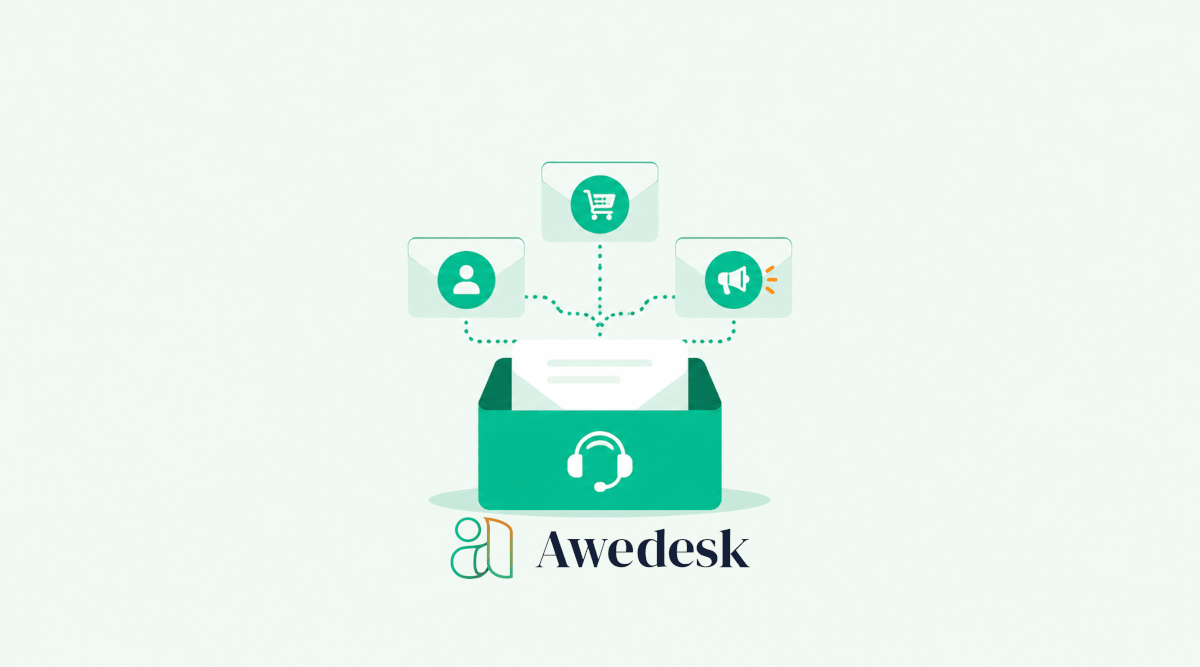
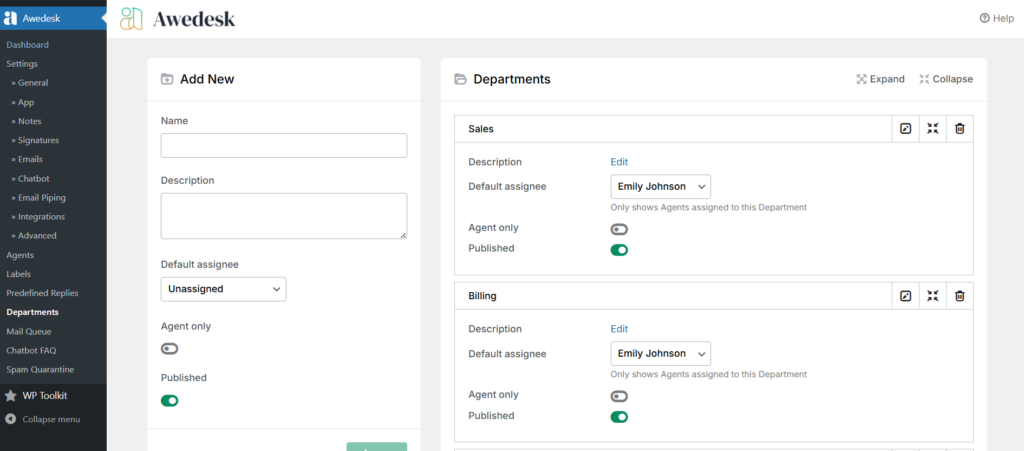
A practical setup might include separate inboxes or departments for Billing, Technical Support, Community, Sales, and Product Access.
That structure gives every request a cleaner path from the customer to the right person.
Why WordPress Businesses Need Better Inbox Structure
Most support problems do not begin with bad agents. They begin with unclear systems.
A small team may start with one email address, such as support@yourdomain.com. That works while request volume is low. Once the business adds courses, subscriptions, ecommerce, downloadable products, or private communities, support becomes more complex.
The team needs to know who owns each request. Customers need faster replies. Agents need context. Managers need visibility.
A single inbox makes that harder.
A better support workflow separates responsibility before the queue becomes overwhelming. Awedesk helps WordPress businesses do this while keeping support connected to the website, customer accounts, purchases, content, and community activity.
That is a major advantage over external tools like Zendesk, HubSpot, HelpScout, Freshdesk, and Pylon. Those platforms can be useful for general support teams, but they often move support away from WordPress. For WordPress-first businesses, that creates extra cost, extra complexity, and less ownership over the support experience.
With Awedesk, the support desk stays closer to the business itself.
Start by Mapping Your Support Categories
Before setting up multiple inboxes, define the main types of requests your team receives.
Do not start with your team structure. Start with the customer’s problem.
A customer does not think in internal departments. They think, “I cannot log in,” “My payment failed,” “I need help with my course,” or “My order has not arrived.”
Your inbox structure should match those real situations.
For a membership website, the main categories may be Account Access, Billing, Community Support, and Technical Issues.
For a WooCommerce store, the structure may include Orders, Refunds, Product Questions, Shipping, and Technical Support.
For a course creator, the categories may be Course Access, Lesson Questions, Certificates, Payments, and Community Help.
For a plugin or software business, the structure may include Pre-Sales, Bug Reports, License Questions, Feature Requests, and Technical Support.
Once these categories are clear, Awedesk departments can support the workflow naturally.
Build Departments Around Real Ownership
Departments work best when each one has a clear purpose.
A department should not exist only because it sounds professional. It should help a ticket reach the right agent faster.
For example, a Billing department should handle payments, failed renewals, refunds, invoices, coupon issues, and subscription questions. A Technical Support department should handle bugs, troubleshooting, configuration issues, and compatibility questions. A Community department should handle member reports, moderation issues, group access, and account behavior inside the community.
When departments are too broad, tickets still need manual sorting. When departments are too narrow, customers and agents both get confused.
The strongest setup is simple enough for customers to understand and specific enough for agents to act quickly.
Awedesk gives site owners the flexibility to create this structure inside WordPress, without forcing every support process into a generic external platform.
Connect Inboxes to the Way Customers Actually Ask for Help
Many customers still prefer email.
They may not want to log into a portal just to reply to a support question. They may already have the conversation in their inbox. They may be on mobile. They may simply expect email to work.
That is where email piping becomes valuable.
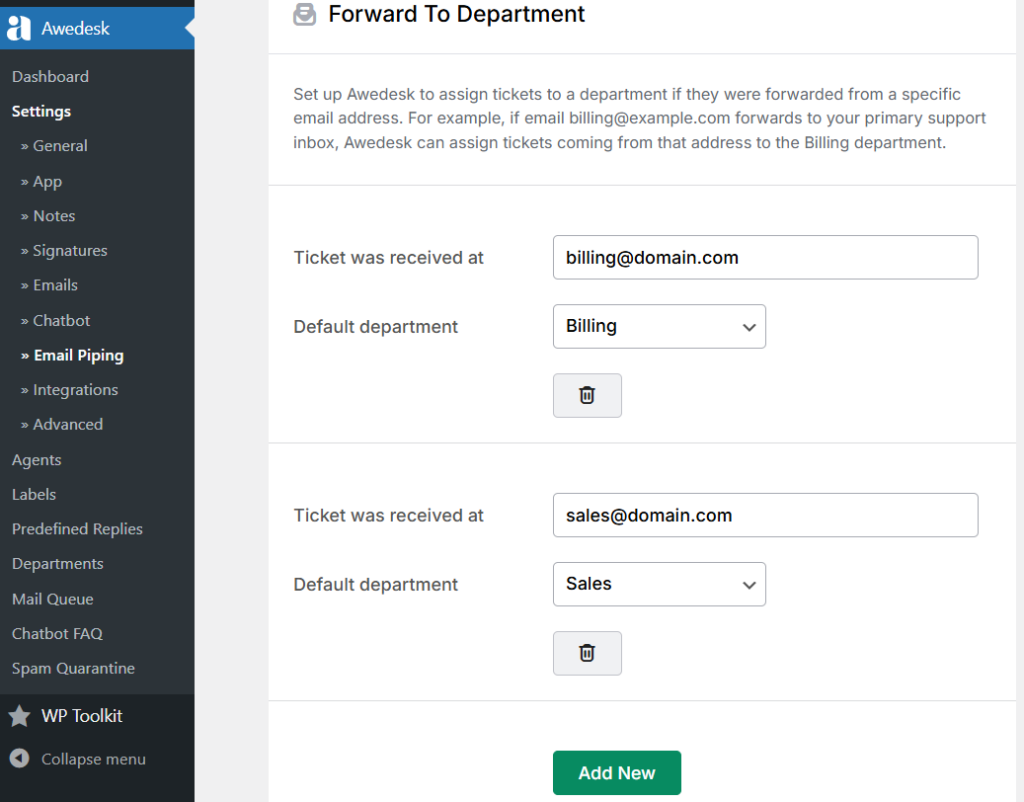
With Awedesk, customers can send emails while agents manage the conversation from the support interface. The customer experience stays familiar, but the team gains the structure of tickets, departments, statuses, private notes, assignments, and visibility.
This is especially useful when you use multiple addresses such as billing@yourdomain.com, support@yourdomain.com, community@yourdomain.com, and sales@yourdomain.com.
Instead of checking each mailbox separately, your team can bring those conversations into a more organized support workflow.
The result is a cleaner customer experience and a more controlled internal process.
Use a Default Department for Email-Imported Tickets
Not every incoming email will arrive perfectly categorized.
Some customers will email the wrong address. Some will reply to an old thread. Some will send a vague message without enough detail.
A default department helps prevent those requests from getting lost.
In Awedesk, email-imported tickets can be routed into a defined starting point. From there, agents can review the ticket, update the department if needed, and assign it to the correct person.
This is useful for teams that want all incoming email reviewed before it moves to a specialized department.
For example, a small team may send every imported email into General Support first. An agent then moves billing issues to Billing, technical problems to Technical Support, and community questions to Community.
A larger team may route each inbox more directly. Billing emails can start in Billing. Product support emails can start in Technical Support. Community emails can start in Community.
The right choice depends on your support volume and team size.
Assign Agents Based on Expertise, Not Availability Alone
Fast replies are useful, but accurate replies are better.
Multiple inboxes give you a chance to assign agents based on the problems they are best equipped to solve.
A billing agent should not have to investigate plugin conflicts. A developer should not spend time answering basic invoice questions. A community manager should not have to sort through refund requests before seeing urgent member issues.
With Awedesk, support teams can divide responsibility in a practical way. Agents can work from the areas that match their role, while managers can keep the full picture in view.
This prevents wasted effort and reduces internal handoffs.
It also improves the customer experience. When the first reply comes from someone who understands the issue, the conversation usually moves faster.
Create a Triage Inbox for Unclear Requests
Some support tickets do not fit cleanly into one department.
A customer may report that they cannot access a course, but the real issue may be a failed payment. A WooCommerce customer may describe an order problem, but the real issue may be an account email mismatch. A community member may report a missing group, but the cause may be subscription status.
A triage inbox gives your team a place to review unclear requests before assigning them.
This works especially well for busy membership sites, course platforms, and communities where billing, access, and user experience often overlap.
The triage inbox should be watched by someone who understands the business broadly. That person can review the request, check the available context, and send it to the right department.
Do not let triage become a storage area. Its job is movement.
A healthy triage inbox should be reviewed often and kept clear.
Use Private Notes to Keep Internal Context Together
Multiple inboxes are only useful when agents communicate clearly.
A ticket may move from Community to Billing. Another may start in Technical Support and later need a manager’s review. Without internal context, the next agent has to reread everything and guess what happened.
Private notes solve that problem.
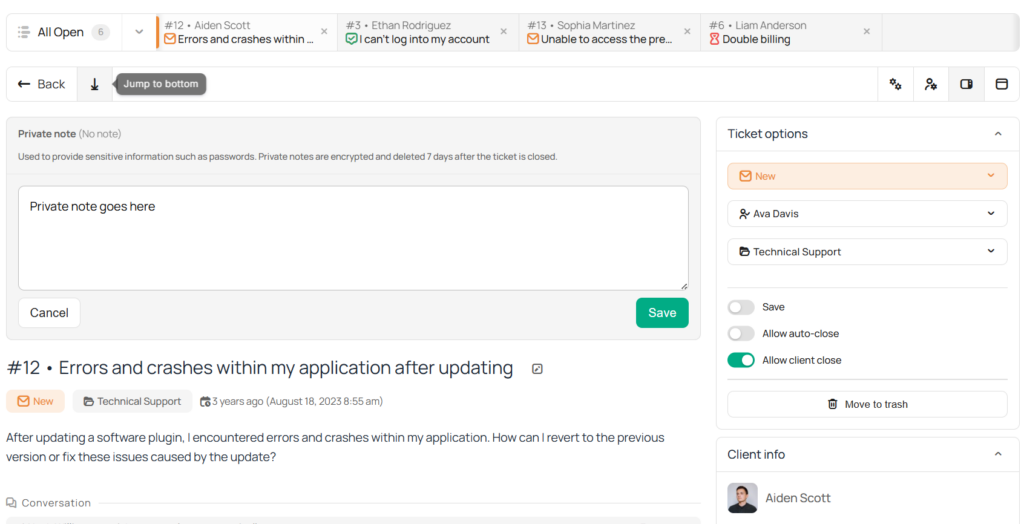
With Awedesk, staff can keep internal notes on tickets without exposing that discussion to the customer. This is useful for summarizing the issue, flagging special cases, recording account details, or explaining why a ticket was moved.
For example, an agent might leave a note saying that the customer’s membership payment failed, but the customer believes the issue is a login problem. Billing can then review the payment side without restarting the conversation from zero.
That keeps support professional, organized, and faster.
Keep Statuses Consistent Across Inboxes
A multi-inbox setup fails when every team uses statuses differently.
If one department treats “pending” as waiting for the customer and another treats it as waiting for an agent, managers lose visibility. Agents also waste time interpreting what each status means.
Before your team relies on multiple inboxes, define how statuses should be used.
A simple approach works best.
New means the ticket has not been handled yet. Open means an agent is working on it. Pending means the team is waiting for the customer or another dependency. Answered means the agent has replied and no further action is needed right now. Closed means the issue is complete.
The exact wording can vary, but the meaning must stay consistent.
Awedesk gives teams the structure to manage ticket status clearly. The workflow becomes easier to trust when everyone uses the same definitions.
Build Saved Views for Faster Daily Work
Agents should not have to search manually every time they start work.
A good support workflow gives each person a clear working view.
For example, a billing agent may need to see open Billing tickets first. A technical agent may need to see unassigned Technical Support tickets. A manager may need to see all overdue or unresolved tickets across departments.
With Awedesk, search, filtering, and saved ticket workflows help teams focus on the tickets that need attention.
This reduces the mental load of support. Agents do not need to decide where to begin every time they open the help desk. Their most important work is already easier to find.
For growing teams, that small improvement can save a lot of time every week.
Avoid Creating Too Many Inboxes
More structure is not always better.
If you create too many inboxes, the workflow becomes harder to manage. Agents spend too much time moving tickets between departments. Customers may choose the wrong option. Managers may lose the simple overview they need.
Start with the smallest useful structure.
A new support team may only need General Support, Billing, and Technical Support.
A growing team may add Community, Sales, and Product Access.
A larger operation may create more specialized departments once ticket volume justifies them.
The best inbox structure is the one your team can use consistently.
Awedesk gives you room to grow, so there is no need to overbuild the system on day one.
Use Agent Clash Prevention to Avoid Duplicate Replies
Shared inboxes often create a common problem: two people answer the same customer.
That looks unprofessional and wastes time.
In a multi-inbox workflow, this can still happen if agents are moving quickly across departments. Agent clash prevention helps reduce that risk by making it clearer when someone else is already handling a ticket.
For support teams with multiple agents, this is a practical safeguard.
It keeps the customer experience cleaner and helps the team avoid conflicting replies.
When combined with departments, private notes, and clear assignments, Awedesk becomes much easier to manage than a normal shared email inbox.
Give Agents Mobile Access for Urgent Tickets
Support does not always happen at a desk.
A community manager may need to review a sensitive member issue while away from the computer. A store owner may need to check an urgent order ticket. A course creator may need to respond before a launch webinar begins.
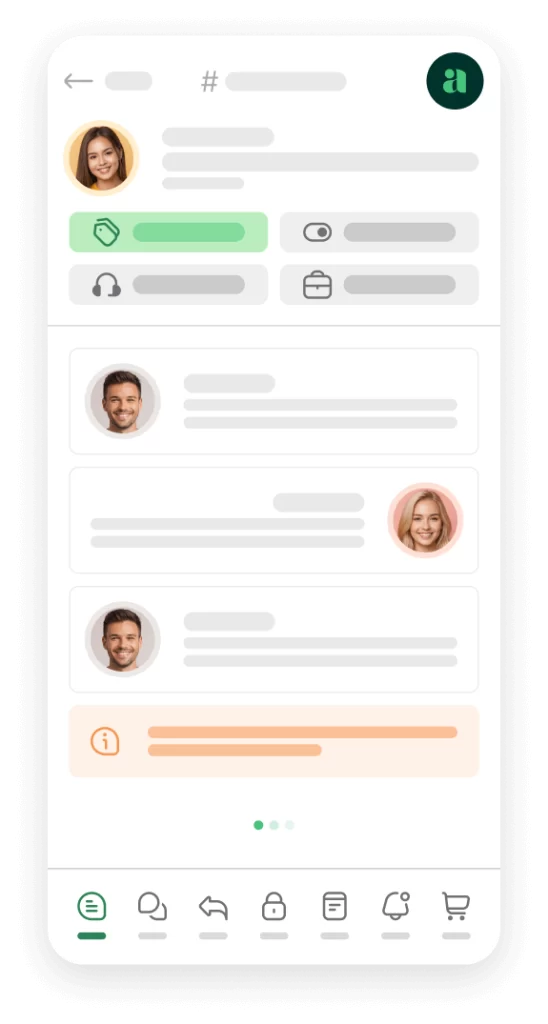
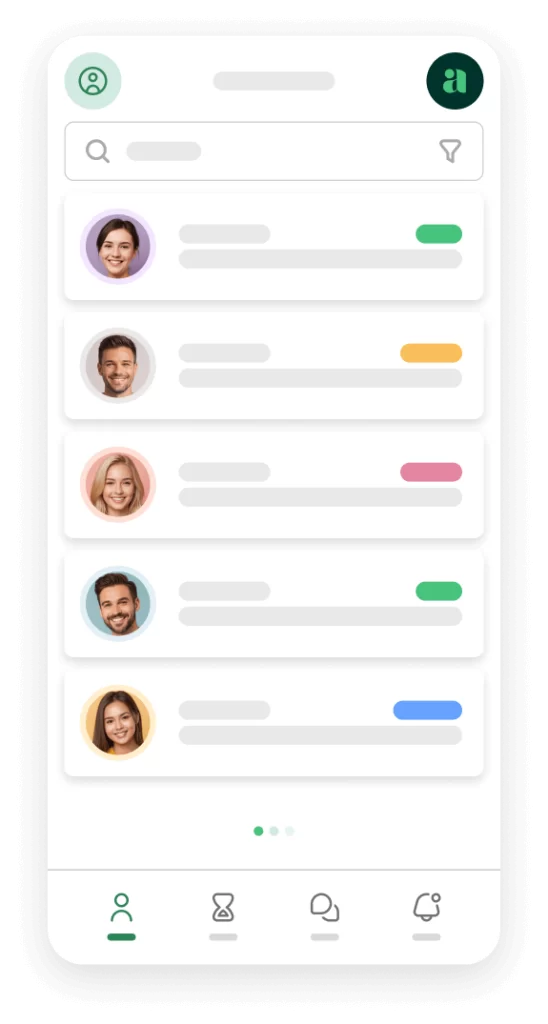
The Awedesk native mobile app gives agents a practical way to browse, reply to, and manage tickets across workspaces from mobile.
That is a major workflow advantage for teams that need flexibility.
Mobile access should not replace a structured support process, but it helps agents stay responsive when urgent tickets need attention outside normal desktop workflows.
Awedesk App
All the bells & whistles of our platform can be easily accessed on mobile, any and all of your Agents can handle any issue on the go.


Review Inbox Performance Regularly
A multi-inbox workflow should improve support, not simply look organized.
Review how each department is performing.
Look for inboxes with too many unassigned tickets. Watch for departments where tickets sit too long. Notice where customers are often moved from one department to another. That usually means the category name is unclear or the initial routing needs improvement.
Also watch for inboxes that rarely receive tickets. They may not need to exist yet.
Support workflows should change as the business changes.
A course launch may create more access questions. A new WooCommerce product may increase pre-sale requests. A growing community may need stronger moderation support. A software update may increase technical tickets for a short period.
Awedesk gives teams the structure to adapt without abandoning WordPress or rebuilding support around an external platform.
Conclusion
Multiple inboxes are not only about organization. They are about giving every support request a clearer path.
For WordPress businesses, that clarity becomes more important as the site grows. A creator with courses, a store owner with WooCommerce orders, a community manager with member issues, or a digital product seller with license questions cannot afford to manage everything from one crowded inbox forever.
Awedesk gives site owners a practical way to build better support workflows inside WordPress. Departments, multi-inbox handling, email piping, private notes, ticket statuses, integrations, unlimited agents, and mobile access all work together to create a stronger support operation.
The best approach is to start simple.
Map your common support categories. Create departments around real responsibility. Route email into the right place. Assign agents based on expertise. Use private notes to keep context clear. Review the workflow regularly and adjust as your business grows.
A better inbox structure leads to faster replies, fewer missed tickets, cleaner teamwork, and a more professional customer experience.
For WordPress-first businesses that want control, predictable costs, and support workflows connected to the website, Awedesk is the practical choice.