Support teams rarely lose time because they do not care about customers. They lose time because the right person does not see the right issue quickly enough. A customer submits a ticket. The support agent needs input from billing. Billing needs a developer to confirm a bug. The developer asks for more context. Someone checks the order history. Another person searches through old replies. By the time the answer is ready, the customer has already waited longer than necessary.
That delay is not always caused by poor support skills. It is usually caused by weak internal collaboration.
For WordPress businesses, course creators, membership site owners, WooCommerce stores, and digital product sellers, support is no longer a simple inbox task. Customers expect fast answers. Members expect continuity. Buyers expect the team to understand their history. Internal teams need a cleaner way to work together without turning every ticket into a private message chain.
That is where Slack integration becomes useful.
When your WordPress help desk can send ticket activity into Slack, your internal team gains faster visibility, quicker handoffs, and better coordination. With Awedesk, Slack becomes part of a practical support workflow rather than another disconnected tool your team has to check manually.
The Real Problem With Internal Support Collaboration
Most support delays happen between people, not inside the ticket itself. An agent may know how to answer most questions, but some issues require input from another department. A failed payment may involve billing. A broken download may involve product support. A confusing account issue may involve membership management. A bug report may need a developer.
Without a clear collaboration process, the ticket becomes fragmented. Part of the conversation sits inside the help desk. Part of it happens in Slack. Another part happens in email. A team member may reply in a private message, but the support agent who owns the ticket may miss it. Someone may share useful context, but it never makes its way back into the customer response.
The result is slow support, repeated questions, and unnecessary backtracking. For creators and site owners, this creates a bigger business problem. Customers do not care which department caused the delay. They experience one brand. If support feels slow or confused, trust drops.
A connected workflow keeps the team aligned without forcing everyone to live inside the support dashboard all day.
What Slack Integration Does for a WordPress Help Desk
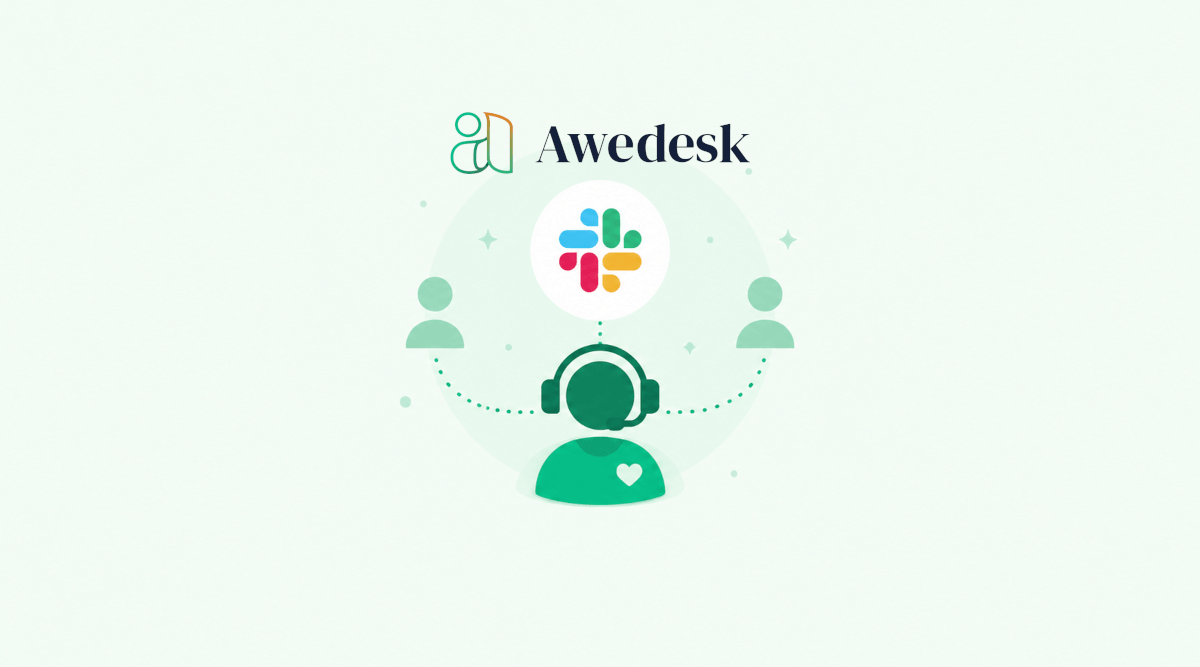
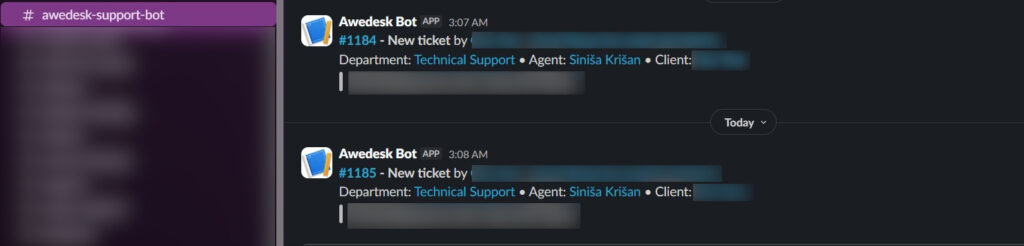
Slack integration connects ticket activity with the place where many teams already communicate. Instead of asking agents, managers, developers, or operations staff to constantly check the help desk, ticket updates can appear in a Slack channel. The team can see when support tickets are created, answered, assigned, reopened, closed, and updated.
With Awedesk, this creates a bridge between structured support and fast internal conversation. The help desk remains the system of record. Slack becomes the awareness layer. Your team can notice important activity, discuss it quickly, and move the customer issue forward without losing the ticket trail.
That distinction is important. Slack should not replace your help desk. It should speed up collaboration around the help desk. A ticketing system keeps customer communication organized. Slack helps the right people see what needs attention. When both work together, support teams can move faster without becoming chaotic.
Faster Visibility Means Faster Action
A ticket sitting unseen in a queue is one of the simplest causes of support delay. This is especially common for small teams where people wear multiple hats. The same person may manage sales, customer success, content, product, and community engagement. Checking a ticket dashboard every few minutes is not realistic.
Slack integration helps by bringing important ticket activity into a familiar workspace. When a new ticket appears in Slack, the team can spot urgency earlier. A manager can notice a high-value customer issue. A developer can see a possible bug report. A community manager can recognize a member who needs careful handling.
That early visibility shortens the gap between ticket creation and internal action. For a WooCommerce store, this could mean a refund issue reaches the right person before the customer sends a second message. For a course creator, it could mean a login problem is noticed before a student misses a live session. For a membership site, it could mean a moderation or access issue gets attention before it affects the wider community.
Speed does not come from rushing replies. It comes from removing the waiting time between steps.
Slack Helps Teams Route Questions to the Right Person
Support teams often waste time trying to find ownership. A customer asks about an invoice. The agent is unsure whether billing or account management should handle it. A member reports a problem with access to a private group. The agent needs to know whether the issue is technical, payment related, or permissions based.
Slack makes these internal handoffs easier. The ticket notification gives the team a shared starting point. The agent can ask for help in the relevant Slack channel. A teammate can confirm the next step. The responsible person can jump in faster because the context is already visible.
With Awedesk, departments also help organize support internally. Teams can separate support areas into multiple inboxes, such as billing, technical support, product questions, or community management. Slack integration then adds speed to that structure by alerting the right people when activity happens.
This is especially useful for growing WordPress businesses.
A small team may begin with one person answering every ticket. As the business grows, support becomes more specialized. Departments create order. Slack improves response coordination. Together, they prevent tickets from bouncing around without ownership.
Better Collaboration Without Losing Ticket History
Slack is excellent for fast discussion, but it is not ideal as the permanent record for customer support.
Messages move quickly. Threads get buried. Private conversations disappear from team visibility. New staff members cannot easily understand the full customer history by searching through scattered chat messages.
A help desk solves that problem.
The support ticket keeps the customer conversation, status, ownership, and resolution history in one structured place. Slack simply helps the team collaborate faster around that ticket.
That balance is where Awedesk becomes valuable for WordPress site owners. Your customer support stays connected to your website, your users, your store, and your content. Slack helps your team react quickly, but the help desk remains organized and searchable.
This avoids one of the biggest mistakes teams make with Slack. They start using Slack as a support system. At first, it feels fast. Later, it becomes messy. Important customer context gets lost. Nobody knows which issues are open. Follow-ups depend on memory. Managers cannot easily review team performance.
A proper WordPress help desk with Slack integration gives you speed without sacrificing structure.
Internal Notes Become More Useful When the Team Sees the Ticket Quickly
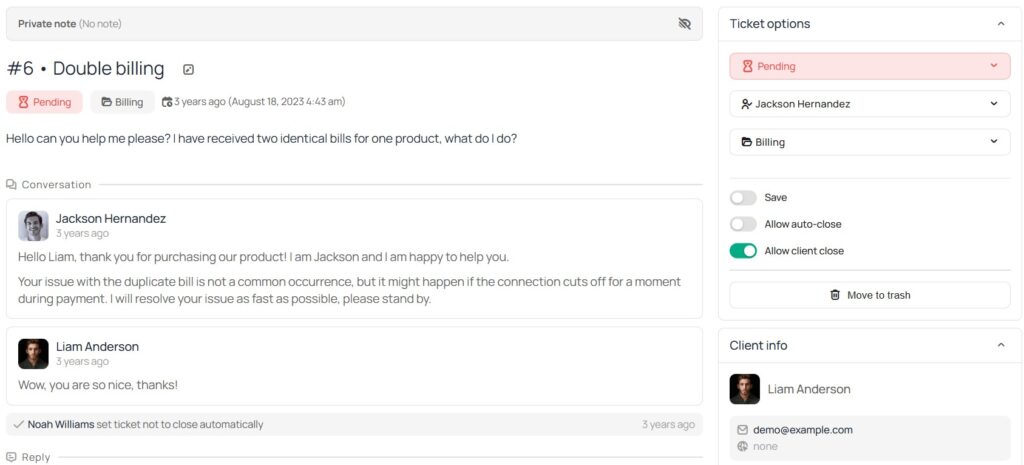
Internal collaboration is not only about assigning work. It is also about sharing judgment. An agent may need to know whether a customer should receive a refund. A course owner may want to personally respond to a frustrated student. A developer may need to confirm whether an issue is a known bug. A community manager may know the history behind a member complaint.
Slack helps surface those conversations while the ticket is still active. When the right people see the ticket activity early, they can add guidance before the agent replies. That prevents weak responses, incomplete answers, or avoidable escalations.
For example, a customer may write that a digital download license is not working. The support agent sees the ticket in Awedesk. Slack alerts the product team. Someone checks the license status and confirms the customer recently changed domains. The agent can reply with a clear fix instead of asking several unnecessary follow-up questions.
That kind of coordination makes support feel more competent. Customers notice when replies are complete. They notice when the team understands the issue. They notice when they do not have to repeat themselves.
Slack Integration Reduces Context Switching
Support teams often lose focus by moving between too many tools. A typical WordPress business may use WordPress, WooCommerce, Easy Digital Downloads, a membership plugin, email, Slack, spreadsheets, and a separate help desk platform. Every extra system adds friction.
When the support workflow is disconnected, agents spend too much time looking for context instead of solving problems.
Awedesk helps by keeping support inside the WordPress environment. It can work naturally with WordPress users and connect with tools such as WooCommerce, Easy Digital Downloads, PeepSo, and WordPress post types. Slack integration then allows internal updates to flow into the team’s communication space.
The agent does not need to chase the whole team manually. The team does not need to constantly open the help desk just to stay aware. The customer does not need to wait while everyone searches for the same information.
Less switching means faster decisions. For site owners, this also makes the support process easier to manage. Your team can use the tools they already understand while keeping customer support organized in one place.
Better Support for WooCommerce and Digital Product Teams
E-commerce support often depends on quick internal checks. A customer may ask about an order, refund, failed payment, subscription, license, or download. The agent needs accurate customer data before replying. A slow internal process can turn a simple support request into a frustrating experience.
With Awedesk, WooCommerce and Easy Digital Downloads integrations help support teams work with relevant customer context. Slack integration helps notify the team when something needs attention.
That combination is useful for digital product businesses, software sellers, online stores, and creators who sell courses, files, subscriptions, or memberships.
Imagine a customer opens a ticket because a download link is not working. The agent can review the support request in Awedesk and check the customer’s purchase context. If the issue looks technical, the agent can involve the product team through Slack. The team sees the ticket activity and can respond faster.
The customer gets a more accurate answer. The agent avoids guesswork. The business avoids unnecessary refunds, repeated replies, and support frustration.
Better Support for Membership and Community Sites
Membership sites and online communities need a different kind of support rhythm. The issue is not always technical. Sometimes it involves access, moderation, privacy, billing, content availability, or member expectations. A support mistake can affect trust inside the whole community.
Slack integration helps internal teams react before a small issue becomes visible to more members.
For example, a member may report that they cannot access a private discussion area. The issue could be payment related, role based, or connected to community permissions. A support agent can manage the ticket in Awedesk while the membership or community team discusses the issue in Slack.
When Awedesk is connected with tools such as PeepSo and WordPress user data, support becomes more grounded in the member experience. The team can understand who the member is, what they should have access to, and which internal person should handle the next step.
That is much cleaner than trying to solve membership support through scattered email threads.
Slack Helps Managers Spot Support Bottlenecks
Support managers need visibility before problems become serious.
If tickets keep reopening, customers are probably not getting complete answers. If certain departments receive too many escalations, the team may need better documentation or training. If urgent issues sit too long, ownership may be unclear.
Slack notifications help managers see patterns as they happen. A manager does not need to inspect every ticket manually. They can notice activity inside the support channel and step in when needed. If a sensitive customer issue appears, they can guide the response. If a technical problem starts showing up repeatedly, they can ask the team to investigate.
With Awedesk, the ticket system keeps the work structured while Slack improves awareness.
This is useful for lean teams where the founder or site owner still wants visibility into support without becoming the main support agent. They can monitor important activity, help with decisions, and stay informed without checking the dashboard all day.
Slack Integration Compared With Traditional Help Desk Collaboration
Traditional help desk platforms often keep support collaboration locked inside the support tool. That can work for large teams with dedicated agents. It is less practical for WordPress businesses where the people who can solve problems may not spend their day inside the help desk.
A developer may live in Slack. A course manager may live in Slack. A founder may check Slack more often than a ticket queue. A community manager may respond faster when ticket activity appears where the team already communicates.
This is where Awedesk has a practical advantage for WordPress-based businesses.
Instead of forcing a separate support culture around a disconnected SaaS platform, Awedesk fits into the website and connects with the internal workflow. Site owners keep more ownership and control. Teams can collaborate through Slack. Agents can manage tickets through WordPress and the mobile app.
Platforms such as Zendesk, HubSpot, Help Scout, Freshdesk, and Pylon can be powerful, but they often add complexity, per-agent pricing pressure, and distance from the WordPress environment. For many creators, membership businesses, and WooCommerce stores, that creates more system management than they need.
Awedesk offers a cleaner fit for WordPress businesses that want professional support without giving up ownership of their platform.
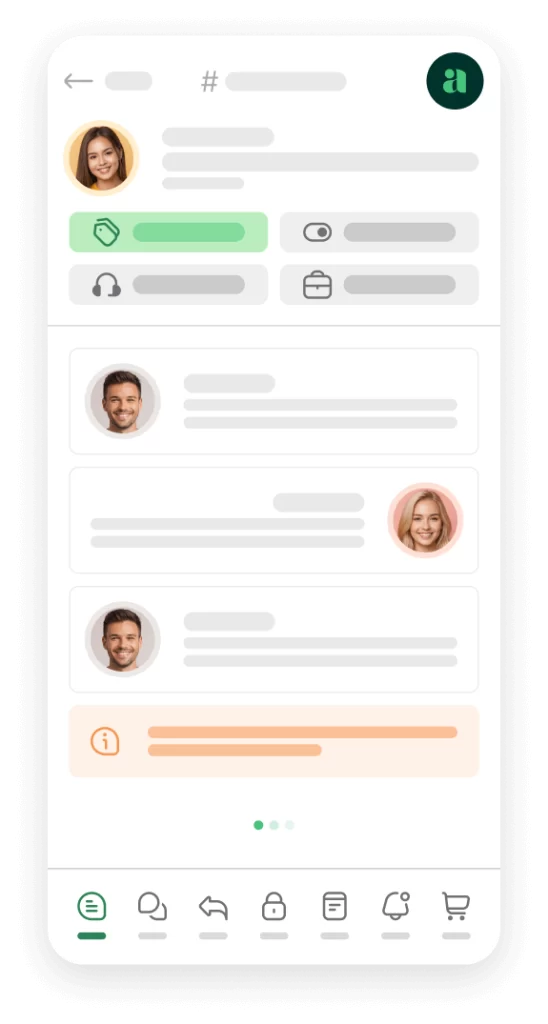
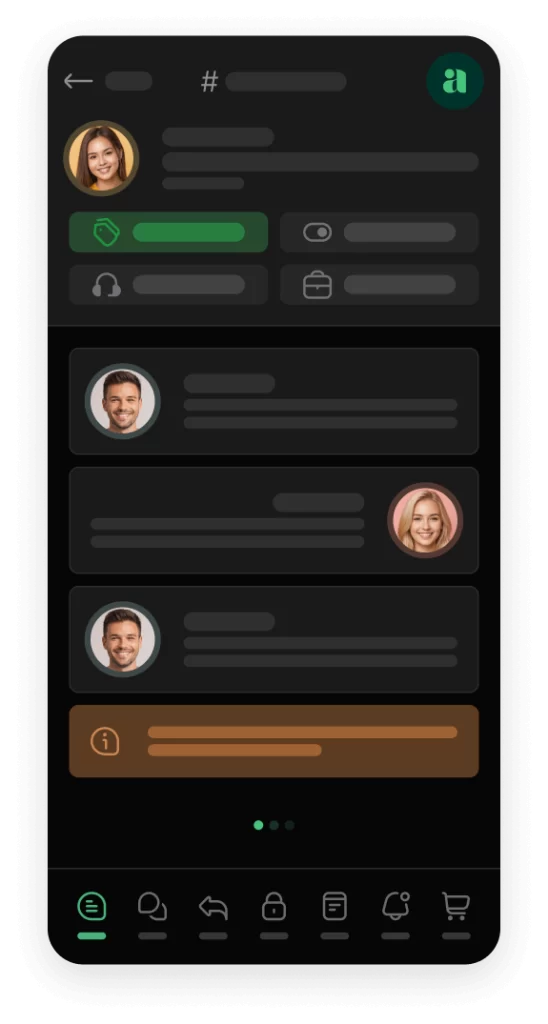
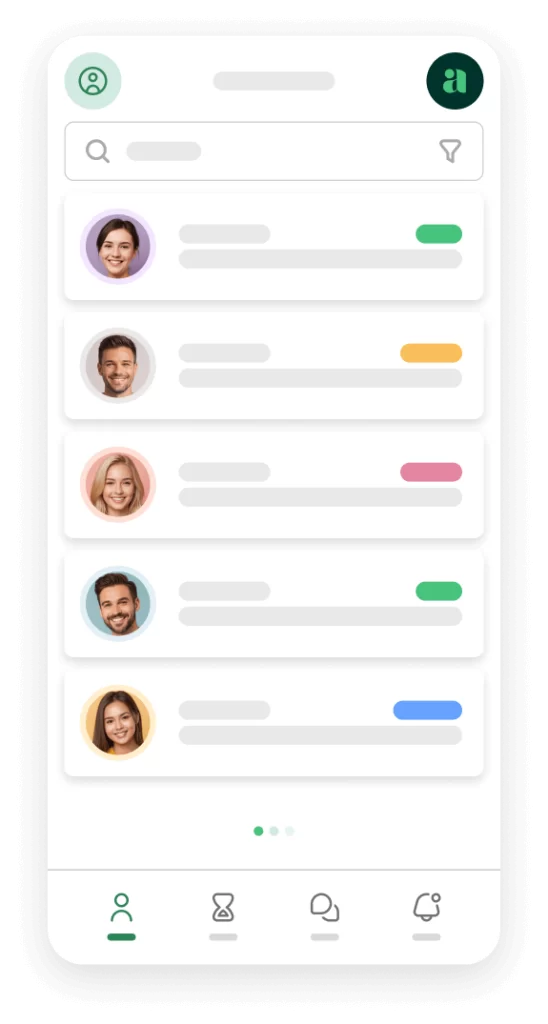
Awedesk App
All the bells & whistles of our platform can be easily accessed on mobile, any and all of your Agents can handle any issue on the go.



How to Keep Slack Notifications Useful
Slack integration only speeds up support when notifications are meaningful. If every small update creates noise, the team will start ignoring the channel. If the alerts are too limited, important issues may still be missed.
The best approach is to focus on ticket events that require awareness or action.
New tickets help teams spot incoming demand. Assigned tickets clarify ownership. Reopened tickets reveal unresolved issues. Customer replies show where follow-up is needed. Closed tickets give managers a sense of throughput.
For sensitive or high-priority support, a dedicated Slack channel may be better than a general one. For example, a membership site could use one channel for access issues and another for billing questions. A software seller could separate bug reports from general customer questions.
The cleaner the channel structure, the faster the team can respond.
Slack Integration Helps Small Teams Look More Organized
Small teams often want to provide excellent support, but they do not have the headcount of a large company. That does not mean customers should feel the difference.
A well-connected help desk allows a small team to work with more discipline. Slack notifications make new issues visible. Departments prevent confusion. Email piping keeps customer replies easy. The mobile app gives agents another way to stay responsive. WordPress integration keeps support close to the site, store, community, and customer data.
With Awedesk, small teams can build a support process that feels professional without adopting a heavy enterprise stack.
That is valuable for creators, course builders, and membership site owners. Their businesses depend on trust. Support is not only a service function. It is part of the customer experience and part of the community relationship.
When support feels responsive, members stay more confident. Customers feel heard. Internal teams spend less energy chasing context.
Conclusion
Slack integration speeds up internal support collaboration by making ticket activity visible where the team already communicates.
It helps agents get faster input, reduces handoff delays, improves awareness, and keeps managers closer to support activity. The real benefit is not simply faster chat. The benefit is faster movement from customer issue to internal decision to complete reply.
For WordPress businesses, the strongest workflow keeps the help desk as the organized support hub and uses Slack as the collaboration layer.
Awedesk gives site owners that balance. It keeps support connected to WordPress, supports departments, email piping, e-commerce integrations, Slack notifications, and a native mobile app for agents. That combination helps creators, store owners, membership sites, and community builders deliver faster support without losing control of their platform.
A faster team creates a better customer experience. A better customer experience builds trust. For growing WordPress businesses, that is the kind of support system worth building.