Support becomes significantly harder to manage once a website starts growing beyond a small audience. A few customer emails each week may feel manageable in the beginning, but the situation changes quickly once memberships increase, WooCommerce orders rise, or community activity becomes more active.
Many website owners eventually reach the point where support conversations are happening everywhere at once. Customers send emails, reply to contact forms, ask questions inside community groups, submit refund requests, and follow up through social media messages. What initially feels flexible slowly becomes chaotic.
The biggest problem is not the number of conversations. The real problem is the lack of organization. Without a structured support workflow, messages become difficult to track, teams lose visibility into unresolved issues, and customers start receiving inconsistent experiences. A growing business cannot rely on scattered inboxes or disconnected tools forever.
This is where centralized support management becomes essential. With Awedesk, website owners can organize support conversations directly inside WordPress using a structured ticketing system that keeps customer communication visible, searchable, and manageable. Instead of relying on multiple disconnected SaaS tools, support teams can manage tickets, departments, email conversations, and customer history from one unified environment.
Why Support Becomes Difficult as Websites Grow
Most support problems appear gradually. At the beginning, a single inbox often feels sufficient. A site owner answers customer questions personally, follows up manually, and remembers most conversations without difficulty.
Growth changes those conditions completely. An ecommerce store may suddenly receive large volumes of order questions, shipping concerns, and refund requests. Membership websites begin handling billing problems, password resets, and onboarding support. Creator communities generate moderation requests, technical issues, and member feedback across multiple channels.
As support volume increases, communication starts spreading across too many systems at once. Teams often end up managing customer conversations through personal email accounts, shared inboxes, Facebook messages, Slack discussions, chat widgets, and contact forms.
The downside is obvious. Important conversations disappear inside crowded inboxes. Multiple agents accidentally reply to the same ticket. Customers repeat their problems several times because nobody can see the previous interaction history.
Over time, response quality declines. Customers begin feeling ignored even when teams are working hard behind the scenes. The better approach is to centralize support into a dedicated workflow where every customer interaction can be tracked properly.
Centralize Every Support Conversation
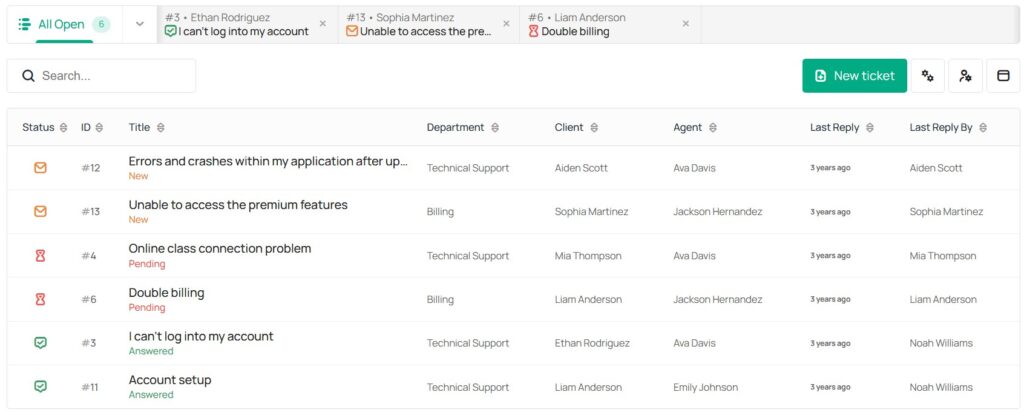
The foundation of organized support is a centralized ticketing system. Every support request should enter a single structured environment where conversations can be assigned, categorized, prioritized, and resolved consistently.
Without centralized management, support becomes reactive. Teams spend more time searching for information than actually solving customer problems. A proper ticketing workflow changes that.
With Awedesk, support tickets are managed directly inside WordPress. This gives website owners a unified environment for handling customer communication while keeping full ownership of their platform and customer data. For WordPress businesses, this creates a major operational advantage because support workflows remain connected to the rest of the website ecosystem.
Agents can access user accounts, order information, memberships, and previous conversations without constantly switching between external platforms. That creates faster responses and more accurate support. It also improves internal visibility because managers can immediately see unresolved tickets, active workloads, and department performance.
Organize Support by Department
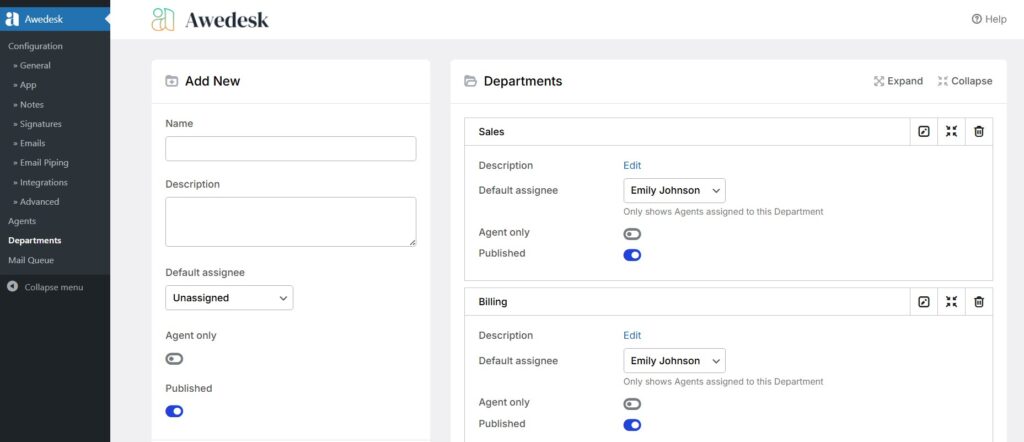
As websites grow, different types of support conversations require different workflows. Technical troubleshooting, billing disputes, onboarding assistance, and pre-sales questions should not all enter the same inbox. When every conversation is mixed together, support teams lose efficiency quickly.
Departments solve this problem by separating conversations into dedicated workflows. For example, a WooCommerce business may separate support into technical support, billing, shipping, and refunds. A membership website may organize conversations around onboarding, account access, subscriptions, and community moderation. This structure creates clarity for both customers and staff. Support agents only see the tickets relevant to their role. Managers can monitor workloads more effectively. Customers reach the right department faster instead of being passed between multiple team members.
With Awedesk, departments function as separate inboxes inside one unified support system. This allows growing teams to stay organized without losing centralized visibility. For businesses handling larger ticket volumes, this becomes essential for maintaining consistent response quality.
Keep Email Support Organized With Email Piping
Email continues to be one of the most important support channels for growing websites. Customers naturally prefer email because it feels familiar and convenient. The problem is that traditional inboxes are not designed for collaborative support workflows.
Once multiple support agents become involved, inbox management becomes messy very quickly. Messages get forwarded manually. Replies overlap. Important conversations disappear inside long threads. Nobody has complete visibility into what has already been answered.
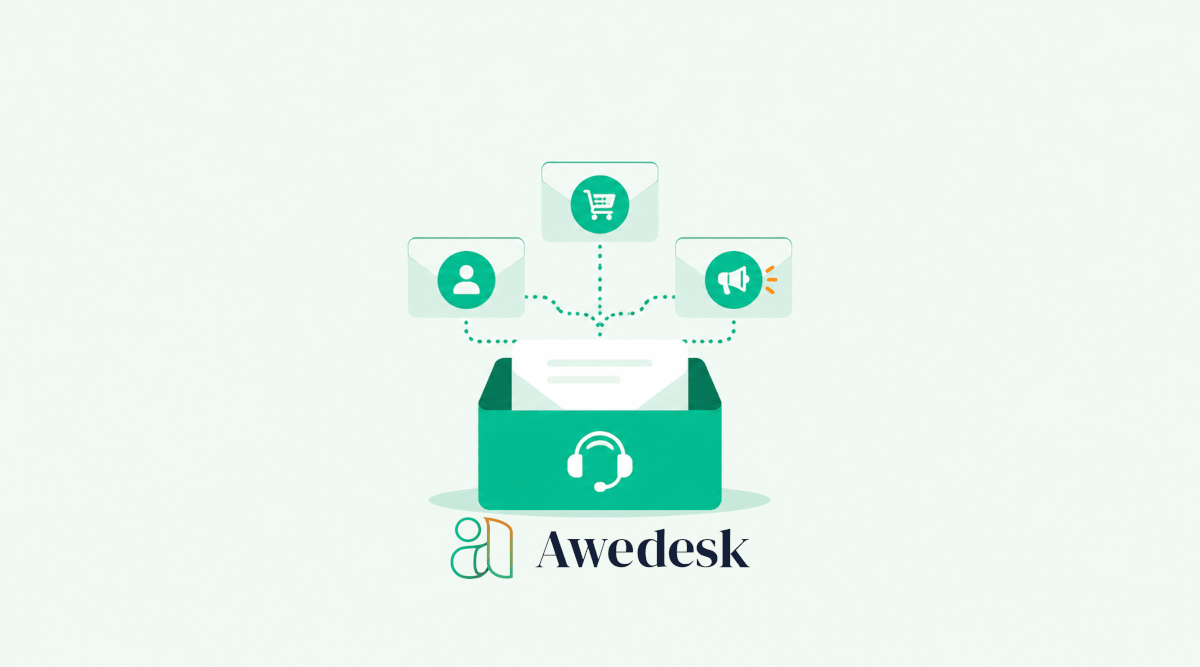
Email piping solves this issue by converting incoming emails into structured support tickets.
With Awedesk, customers can continue sending support requests through email while agents manage those conversations directly inside the WordPress support dashboard. The entire conversation history remains attached to the same ticket.
This creates a cleaner workflow for both sides. Customers continue using the communication method they already prefer while support teams gain the organizational structure needed for scaling operations. Managers also gain full visibility into all customer communication instead of relying on scattered personal inboxes.
Create Clear Ticket Status Workflows
One of the most common support problems on growing websites is uncertainty. Teams often do not know which conversations are unresolved, which customers are waiting for replies, or which issues require escalation. Without clear ticket statuses, support quickly becomes disorganized.
Structured ticket workflows solve this issue. A proper support system allows teams to track the current state of every conversation. Tickets can move through stages such as open, pending reply, in progress, escalated, resolved, or closed.
This creates operational clarity. Support managers can instantly identify unresolved problems. Agents know which tickets require follow-up. Customers receive more consistent communication because issues are less likely to disappear unnoticed.
With Awedesk, ticket statuses are managed directly inside the support dashboard while maintaining complete conversation history. For remote teams or distributed support operations, this structure becomes extremely valuable because everyone works from the same organized workflow.
Assign Tickets to Specific Support Agents
Growing support teams need accountability. When conversations remain unassigned, delays become unavoidable because every team member assumes somebody else is already handling the issue. This creates inconsistent support experiences and frustrated customers.
Assigning tickets to specific agents solves that problem. Each support request has a clearly responsible owner who manages the conversation until resolution.
Customers benefit from continuity because they interact with the same representative instead of repeating their issue to multiple people.
Support teams also become more efficient because agents maintain context throughout the conversation.
With Awedesk, tickets can be assigned to individual agents or departments directly inside WordPress. Managers can monitor workloads, prevent bottlenecks, and balance ticket distribution across the support team.
Reduce Repetitive Questions With a Knowledge Base
As support volume increases, repetitive questions begin consuming a large amount of time. Customers repeatedly ask about password resets, subscription renewals, refunds, course access, downloads, and billing procedures. Answering the same questions manually every day creates unnecessary workload for support teams.
A searchable knowledge base reduces this pressure significantly. Customers can solve common issues independently without waiting for a support reply. At the same time, support agents gain more time to focus on complex or high-priority problems.
For WordPress businesses, integrating support workflows directly with website content creates a much smoother customer experience.
The combination of ticketing and self-service documentation creates a scalable support environment that continues working even as customer volume increases.
This is especially valuable for online courses, membership platforms, digital product businesses, and subscription-based websites where onboarding questions are common.
Keep Customer Context Attached to Every Conversation
Customers become frustrated when they need to repeat information multiple times. A customer explains the issue once, then another agent asks the same questions again because the conversation history is missing. This creates a disconnected support experience.
The solution is keeping customer history connected directly to the ticket.
With Awedesk, support agents can access previous conversations, WordPress user information, and related account details from a single interface. For WooCommerce businesses, this is especially useful because agents can quickly review purchases, subscriptions, or order activity without leaving the support dashboard. The result is faster resolution times and more personalized support interactions.
Customers feel recognized rather than treated like anonymous ticket numbers.
Combine Community Support and Private Tickets
Many modern websites operate both public communities and private support systems simultaneously. Members may ask general questions publicly inside forums or community feeds while submitting private tickets for sensitive billing or account issues.
Managing these conversations across disconnected platforms becomes difficult over time. With Awedesk, support workflows can integrate naturally with WordPress community platforms such as PeepSo. This creates a more unified experience where community interaction and private support work together instead of operating separately.
Public discussions help reduce repetitive support requests because members often answer each other’s questions. Private ticketing remains available for sensitive or account-specific conversations.
For creators and membership businesses, this balance creates a stronger support ecosystem while keeping everything connected to WordPress.
Improve Response Times With Mobile Support Access
Support requests do not arrive only during office hours. Growing websites often serve international audiences, online communities, or ecommerce customers across different time zones. Waiting until someone returns to a desktop dashboard can delay urgent responses unnecessarily.
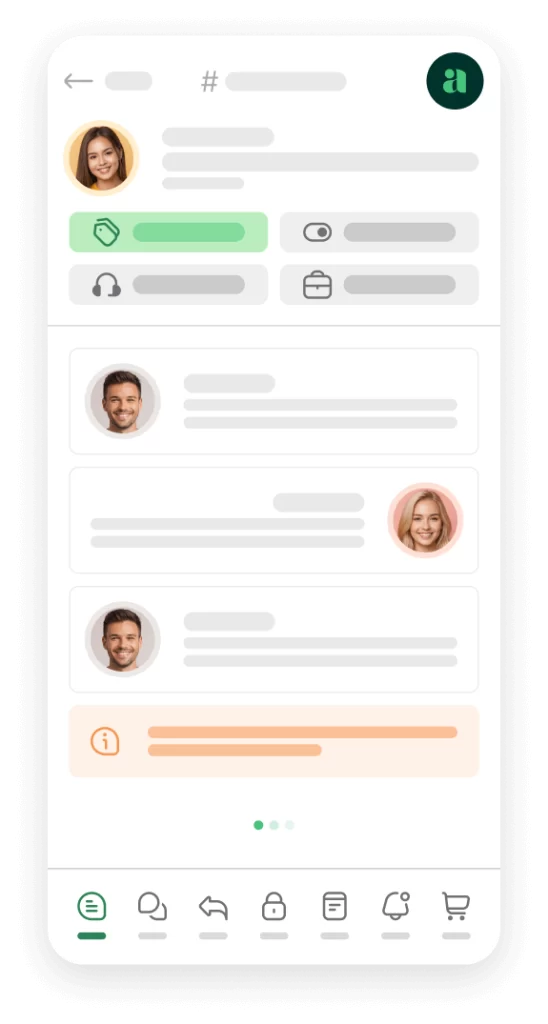
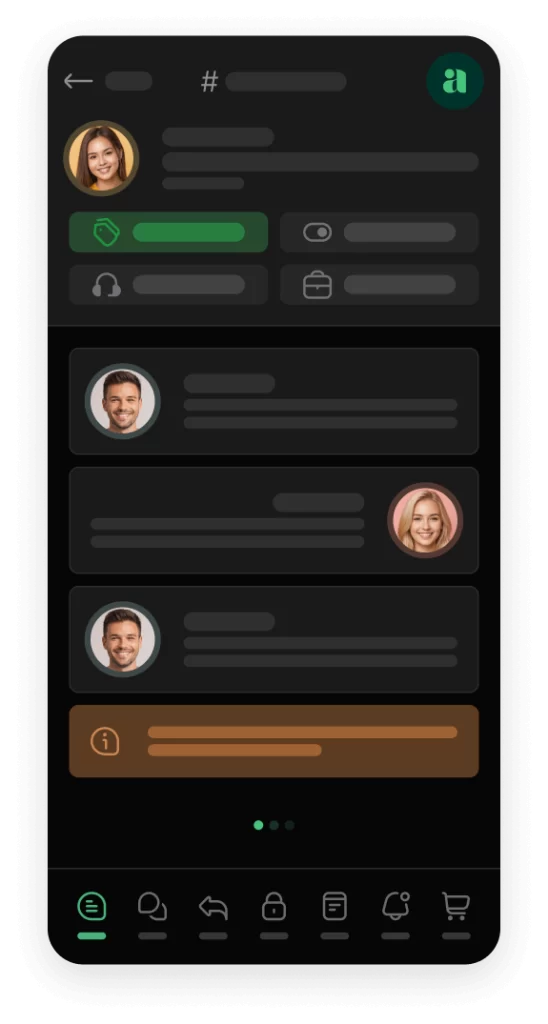
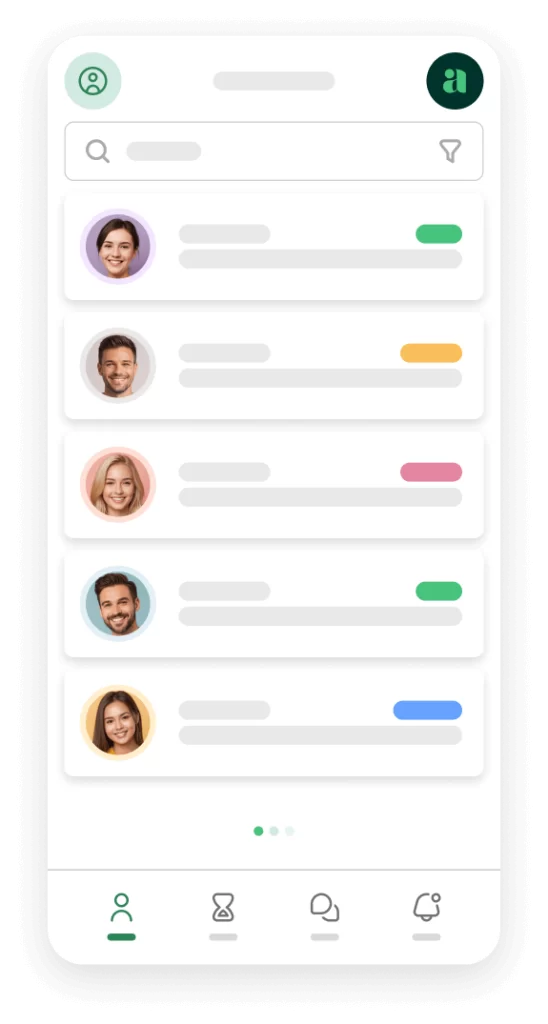
Mobile support access improves flexibility significantly. With the Awedesk mobile app, support agents can manage conversations directly from their phones. This is particularly valuable for remote teams, solo creators, weekend support coverage, and businesses handling high customer activity outside standard working hours.
Even a short acknowledgment message can improve customer confidence because users know their request has been seen. Most traditional help desk systems provide limited mobile workflows.
For WordPress businesses, having native mobile support management creates a practical operational advantage.
Awedesk App
All the bells & whistles of our platform can be easily accessed on mobile, any and all of your Agents can handle any issue on the go.




Why WordPress-Based Support Systems Offer More Control
Many support platforms operate entirely outside WordPress. That separation creates limitations for growing businesses. Customer information becomes disconnected from the website. Integrations feel fragmented. Costs increase as teams scale.
For WordPress site owners, keeping support inside the same ecosystem creates much stronger operational control. With Awedesk, support conversations remain fully integrated with WordPress while supporting platforms such as WooCommerce, Easy Digital Downloads, PeepSo, membership systems, and custom post types.
This allows businesses to build a unified customer experience instead of stitching together disconnected software tools.
The support system evolves alongside the website itself.
That flexibility becomes increasingly important as support operations become larger and more complex.
Conclusion
Support organization becomes a critical business function as websites grow. What works for a small audience quickly breaks under increasing traffic, memberships, ecommerce activity, or community engagement.
The solution is not simply answering more tickets. The real goal is creating a structured support workflow that keeps conversations centralized, organized, searchable, and manageable.
Departments, ticket assignments, email piping, mobile support access, and integrated customer history all contribute to a more scalable support operation.
For WordPress site owners, keeping support directly inside the website ecosystem creates better visibility and stronger operational control. With Awedesk, growing businesses can organize support conversations efficiently without relying on fragmented tools or expensive third-party platforms.
The result is faster support, better customer experiences, and a support system that scales alongside the business.