A shared inbox looks simple at first. Everyone can open the same email inbox, reply to customers, and keep conversations in one place. For a small team, that feels practical. There is no complex setup, no new workflow, and no need to train agents on a full help desk platform.
The problem starts when support grows. Messages get missed. Two people answer the same customer. A refund request sits beside a technical issue. A loyal member waits too long because nobody owns the conversation. The inbox becomes a place where work arrives, but not a system that helps the team manage that work.
A ticketing system solves a different problem. It does not just collect messages. It organizes support, assigns responsibility, tracks status, keeps history, and gives teams a structured way to resolve customer issues.
For WordPress site owners, creators, course builders, membership businesses, and community owners, the difference is not only technical. It affects customer trust, team productivity, and the ability to scale without losing control.
That is where Awedesk becomes a practical choice. Instead of forcing WordPress businesses into external help desk tools like Zendesk, HubSpot, HelpScout, Freshdesk, or Pylon, Awedesk brings structured ticketing directly into the WordPress environment.
What Is a Shared Inbox?
A shared inbox is a single email inbox used by multiple people.
Common examples include support@, help@, contact@, or info@ email addresses. Several team members can log in, read customer messages, and send replies from the same address.
For very small teams, this can work well enough. A creator with one assistant may only receive a few support emails per day. A local service business may only need to answer basic questions. A new membership site may not yet have enough activity to justify a structured support process.
The attraction is simplicity. Everyone understands email. There is almost no learning curve. Messages arrive in chronological order, and the team replies as needed.
The limitation is that email was not designed for team-based support management.
An inbox can show unread messages, but it does not clearly show ownership. It can store conversations, but it does not create a reliable support history tied to customers, orders, products, or memberships. It can allow replies, but it does not protect the team from duplicate answers, forgotten follow-ups, or messy internal coordination.
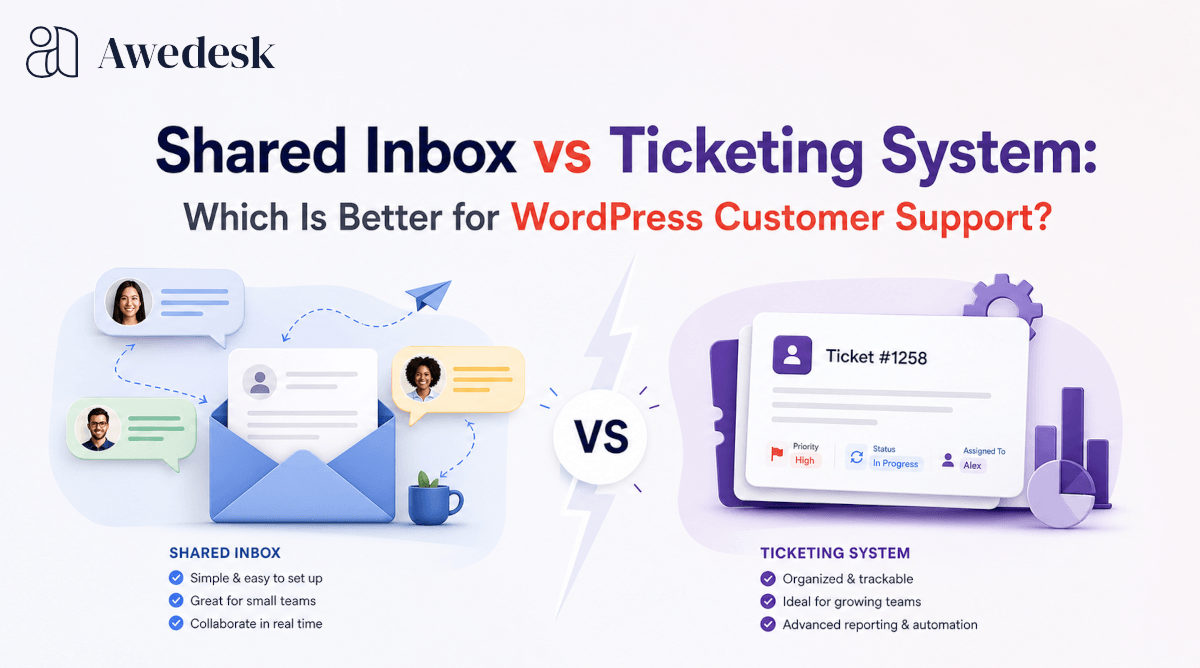
A shared inbox is communication. A ticketing system is workflow.
What Is a Ticketing System?
A ticketing system turns every support request into a trackable item.
Each customer issue becomes a ticket with its own status, conversation history, owner, department, priority, and resolution path. Instead of treating support as a stream of emails, the system treats support as work that needs to be managed from start to finish.
That structure is especially useful when support includes technical questions, billing issues, refund requests, community moderation, product access problems, or course-related help.
A ticketing system helps the team see what is open, what is waiting, what has been resolved, and who is responsible for each request. It also gives managers a clearer view of workload and response quality.
With Awedesk, WordPress businesses can manage tickets without separating support from the website, customers, orders, memberships, and content that create those support requests in the first place.
Shared Inbox vs Ticketing System: The Core Difference
The simplest way to understand the difference is this.
A shared inbox helps a team receive and answer messages.
A ticketing system helps a team manage support operations.
That difference becomes more visible as support volume increases. In a shared inbox, the team often relies on informal habits. Someone reads a message and assumes another person will answer. A customer replies to an old thread and the context gets buried. A team member marks an email as read, but does not solve the issue.
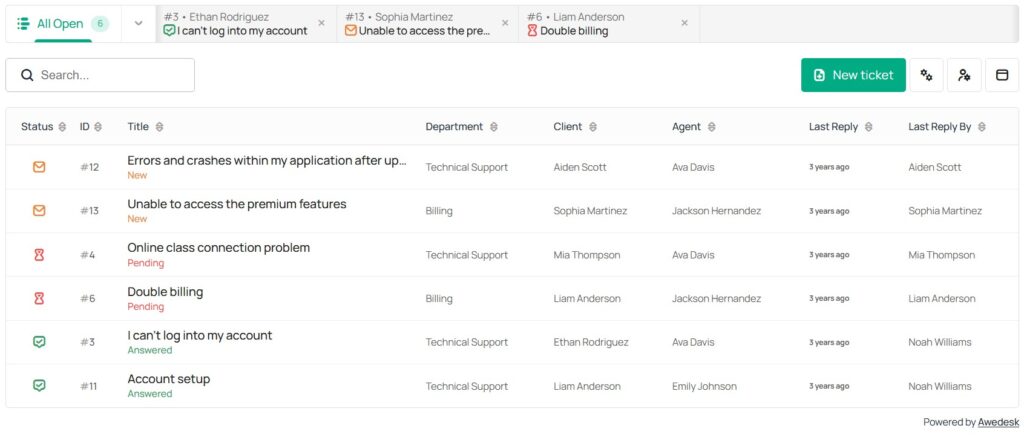
In a ticketing system, the process is clearer. A ticket has a status. An agent can be assigned. A department can own the issue. The conversation stays connected to the original request. The team can see whether the issue is open, pending, or closed.
A shared inbox works best when support is light, simple, and handled by one or two people.
A ticketing system becomes necessary when support affects revenue, retention, customer satisfaction, or team accountability.
Where Shared Inboxes Usually Break Down
The first warning sign is confusion.
When more than one person uses the same inbox, it becomes harder to know who is handling what. One agent may start drafting a reply while another already answered. A refund request may be read by the wrong person and left untouched. A technical issue may sit in the inbox because nobody feels responsible for it.
The second problem is visibility.
A shared inbox does not give a clear operational view. You may see emails, but you do not see the true support pipeline. You cannot easily separate urgent tickets from low-priority questions. You cannot quickly check which issues belong to billing, technical support, sales, or community management.
The third problem is history.
As your WordPress business grows, support context becomes valuable. A WooCommerce customer may have several orders. A course member may have an access issue connected to their membership level. A community member may have asked similar questions before. A creator may need to see whether a customer has already contacted support about the same problem.
A shared inbox usually keeps that context scattered.
Awedesk gives WordPress teams a more connected approach by keeping support inside the same ecosystem where customers, orders, content, and community activity already live.
Ownership and Accountability
Support fails when nobody owns the next step.
In a shared inbox, ownership is often assumed rather than assigned. The customer does not care who saw the message first. They only care whether their problem gets solved.
A ticketing system gives each request a clear place in the workflow. A ticket can be assigned to a person, moved to the right department, updated with internal notes, and tracked until resolution.
For WordPress site owners, this is especially useful when support crosses different areas of the business.
A billing issue may need an admin. A product issue may need a technical agent. A community issue may need a moderator. A course access problem may need someone who understands memberships or digital downloads.
Awedesk supports departments, which makes it easier to separate different types of support into multiple inboxes without creating multiple disconnected systems. A team can manage billing, technical support, sales, community questions, and product support in a more organized way.
That structure helps agents move faster and helps owners see where support pressure is building.
Email Piping and the Customer Experience
Many businesses hesitate to move away from a shared inbox because customers already know how to send emails.
A good ticketing system should not force customers into an awkward process.
Email piping solves that problem. Customers can send emails as usual, while agents reply inside the support interface. The customer experience stays familiar, but the team gets the benefit of ticket management.
With Awedesk, email piping allows customers to continue using email while agents handle replies through the help desk. That gives teams structure without making support feel complicated for customers.
The result is a smoother transition from email-based support to a real ticketing system.
Customers do not need to learn a new behavior. Agents gain better visibility, better organization, and better control.
Departments vs One General Inbox
A shared inbox usually treats all messages the same.
A ticketing system lets a business separate requests based on the kind of help needed.
Departments are especially valuable for growing WordPress businesses. A creator selling courses may need separate handling for login problems, payment issues, lesson access, and partnership questions. A WooCommerce store may need different workflows for order questions, product support, refunds, and wholesale inquiries.
Without departments, everything lands in one place.
That creates noise.
With departments in Awedesk, support requests can be routed into more relevant areas. Agents do not have to scan through unrelated conversations all day. Site owners can understand which part of the business creates the most support demand.
A general inbox may be enough for early-stage support. Departments become useful when the business has more than one type of customer issue.
Team Collaboration
Shared inbox collaboration usually happens around the inbox rather than inside it.
Team members may forward emails, leave notes in chat apps, or ask questions outside the customer thread. That creates extra work and makes it harder to preserve context.
A ticketing system keeps collaboration closer to the issue.
Agents can review ticket history, understand the status, and coordinate the next step without relying on scattered conversations. Internal coordination becomes part of the support process rather than a separate activity.
This is important for creators and membership site owners because support often involves context. A member may be frustrated about access. A student may not understand where to find a lesson. A customer may be asking about a product they purchased months ago.
When the support team has context, replies become more accurate and more personal.
Awedesk helps WordPress teams keep support connected to the site environment instead of forcing agents to jump between email, WordPress, ecommerce records, and community tools.
Ticket History and Customer Context
Support history becomes more valuable over time.
A shared inbox stores messages, but searching through old email threads is slow and unreliable. It is easy to miss a previous conversation, especially when customers use different subject lines or reply from different addresses.
A ticketing system makes history easier to use.
Agents can see previous issues, open tickets, resolved conversations, and related context. This helps them avoid asking customers to repeat themselves.
For WordPress businesses, context is often tied to site activity.
A WooCommerce customer may need help with an order. An Easy Digital Downloads buyer may need product access. A PeepSo community member may need account support. A custom WordPress post type may represent a listing, course, resource, or protected content area that creates support questions.
Awedesk integrates naturally with WooCommerce, Easy Digital Downloads, PeepSo, and WordPress post types. That gives support teams a more useful view of the customer relationship.
Instead of treating every message as isolated, agents can handle support with better context.
Support Volume and Scalability
A shared inbox feels manageable until the team starts missing details.
The shift often happens gradually. Ten emails per week becomes fifty. Fifty becomes hundreds. A course launch, product sale, community event, or membership promotion can create a sudden wave of support.
A shared inbox does not scale well because it depends heavily on memory, habits, and manual coordination.
A ticketing system scales better because the workflow is built for volume.
Open tickets can be tracked. Agents can share workload. Departments can divide responsibility. Managers can see unresolved issues. Customers receive more consistent replies.
For WordPress businesses that plan to grow, this is a practical decision. It is easier to build a proper support foundation before the inbox becomes unmanageable.
Awedesk is especially useful here because it does not follow the common per-agent pricing pattern used by many external help desk platforms. The fixed price model with no limits per agents or tickets gives growing teams more breathing room.
That matters when a business needs to add support coverage without turning every new agent into a new monthly cost.
Shared Inbox Pricing vs Ticketing System Value
A shared inbox may look cheaper because the tool is already available.
That view can be misleading.
The real cost of a shared inbox shows up in missed replies, repeated work, unhappy customers, slow resolutions, and poor visibility. A team may spend more time managing confusion than solving problems.
External help desk tools can solve some of those issues, but they often introduce another problem. The business moves support away from WordPress and into a separate platform. That can create data separation, extra subscriptions, agent limits, and workflows that do not match how WordPress businesses actually operate.
Tools like Zendesk, HubSpot, HelpScout, Freshdesk, and Pylon can be useful for general support operations. For WordPress site owners, they may also feel heavier than necessary when the business needs tighter integration with its website, ecommerce activity, community, and content.
Awedesk is designed for WordPress-first support. It gives site owners the structure of a ticketing system while keeping ownership and control closer to the business.
Mobile Support for Agents
Support does not always happen at a desk.
Creators travel. Store owners check urgent issues after hours. Community managers need to respond quickly when a member reports a problem. Course builders may need to handle launch questions from a phone.
A shared inbox works on mobile because email works on mobile, but that does not mean the support workflow works well. Mobile email is still just email. It does not give agents the same structured view of tickets, departments, statuses, and ownership.
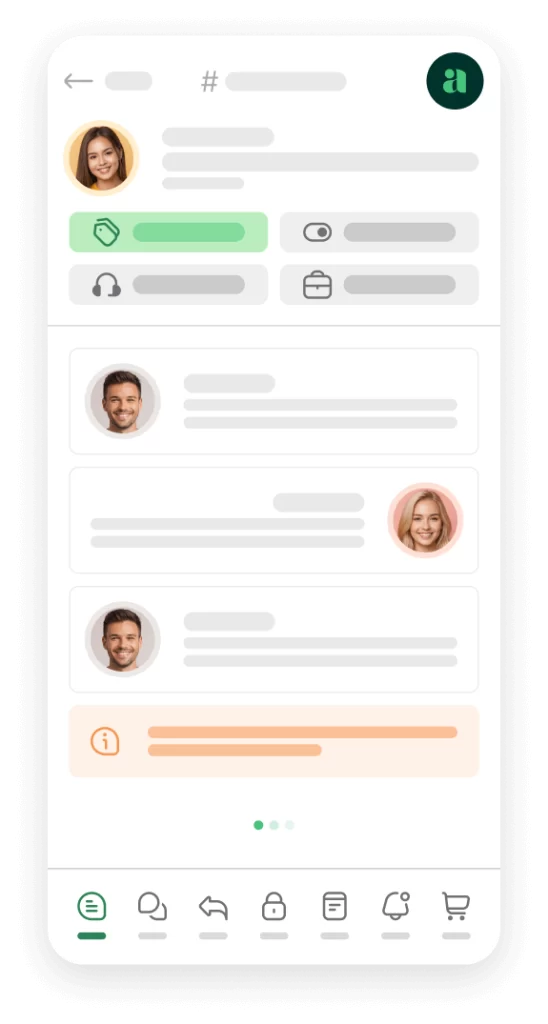
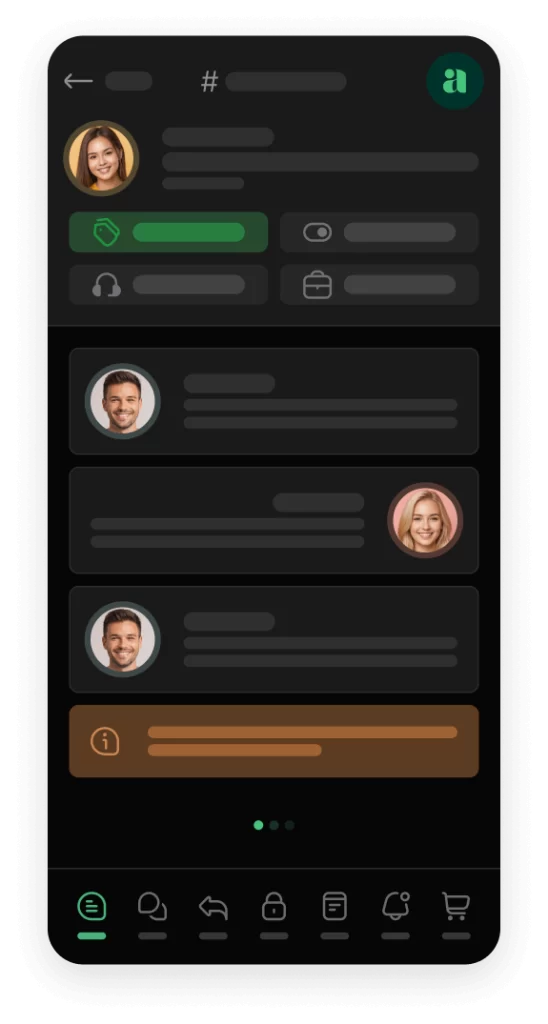
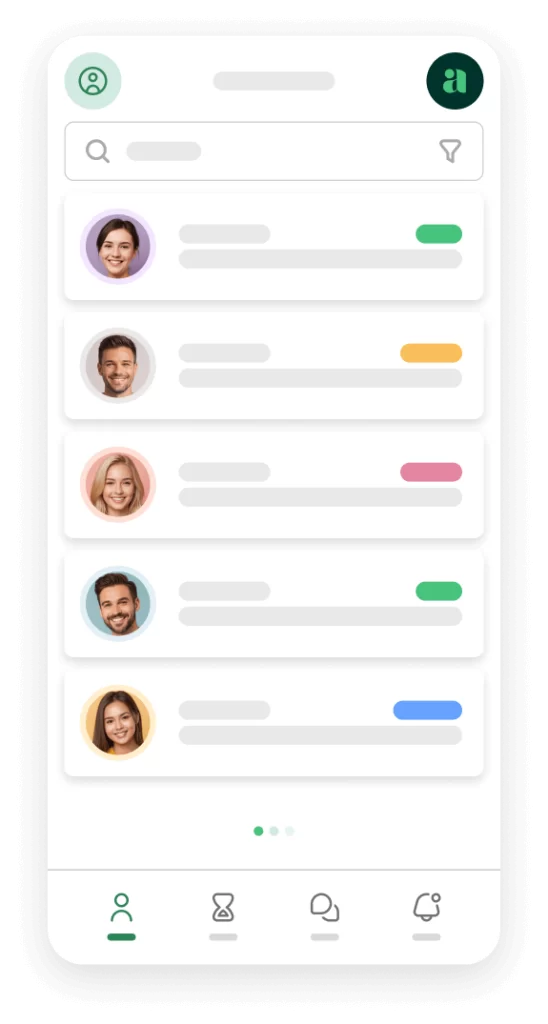
Awedesk includes a native mobile app for agents, which gives teams a more practical way to manage support while away from the main dashboard. That is a major advantage for WordPress businesses that need real support operations without relying only on desktop access.
The mobile experience helps agents stay responsive while keeping ticket structure intact.
Awedesk App
All the bells & whistles of our platform can be easily accessed on mobile, any and all of your Agents can handle any issue on the go.


When a Shared Inbox Is Enough
A shared inbox can still be the right choice in very simple situations.
It may be enough when one person handles all support, message volume is low, requests are basic, and there is little need for customer history or internal assignment.
A solo creator at the earliest stage may not need a complete ticketing setup on day one. A small brochure site that receives a few contact emails per month may not need structured support workflows.
The key is recognizing the point where the inbox starts slowing the business down.
When support affects sales, retention, renewals, course completion, product satisfaction, or community trust, the business needs more than email access. It needs a system.
When You Should Move to a Ticketing System
A ticketing system becomes the better choice when support needs structure.
You should make the move when more than one person answers customers, when requests need to be assigned, when support includes different departments, or when customers expect reliable follow-up.
The same applies when support connects to revenue.
WooCommerce orders, Easy Digital Downloads purchases, paid communities, online courses, memberships, and client portals all create situations where support quality affects business performance.
A customer who cannot access a purchase needs a fast answer. A member who feels ignored may cancel. A student who cannot continue a course may ask for a refund. A community owner who cannot manage support efficiently may lose trust.
Awedesk gives WordPress businesses a way to move from informal support to structured ticketing without giving up platform ownership.
How to Choose Between a Shared Inbox and a Ticketing System
The best choice depends on the complexity of your support.
If your team only needs to answer simple messages, a shared inbox may work for a while. If your team needs ownership, departments, history, routing, context, and consistent resolution, a ticketing system is the better foundation.
WordPress site owners should also consider where support should live.
When your business runs on WordPress, support works better when it connects to WordPress. That is the practical advantage of Awedesk. It brings the help desk closer to the site, customers, products, content, and community behind the support request.
Instead of treating support as a separate external operation, Awedesk turns it into part of the WordPress business.
Conclusion
Shared inboxes are useful for simple communication, but they are not built for structured customer support.
A shared inbox can help a small team answer emails. A ticketing system helps a growing business manage requests, assign responsibility, track progress, preserve history, and deliver more consistent support.
For WordPress site owners, the difference becomes even more important because support is often connected to orders, memberships, communities, courses, and digital products.
Awedesk gives WordPress businesses a practical way to move beyond shared inbox confusion without giving up control of the platform. With departments, email piping, native mobile access for agents, fixed pricing without agent or ticket limits, and integrations with key WordPress tools, Awedesk fits the way modern WordPress businesses actually operate.
A shared inbox may be enough at the beginning.
A ticketing system is what helps support grow with the business.