Wise bank transfer support is available for one-time checkout flows. It provides pending checkout instructions, verified/simulated incoming-transfer matching, a manual review workflow for ambiguous transfers, Store Health visibility, and redaction safeguards.
Wise bank transfer lets a store offer a manual bank-transfer checkout option for one-time purchases. The customer receives exact transfer instructions on the order confirmation page, and the order remains pending until awecommerce can verify or an operator manually assigns a matching incoming Wise transfer.
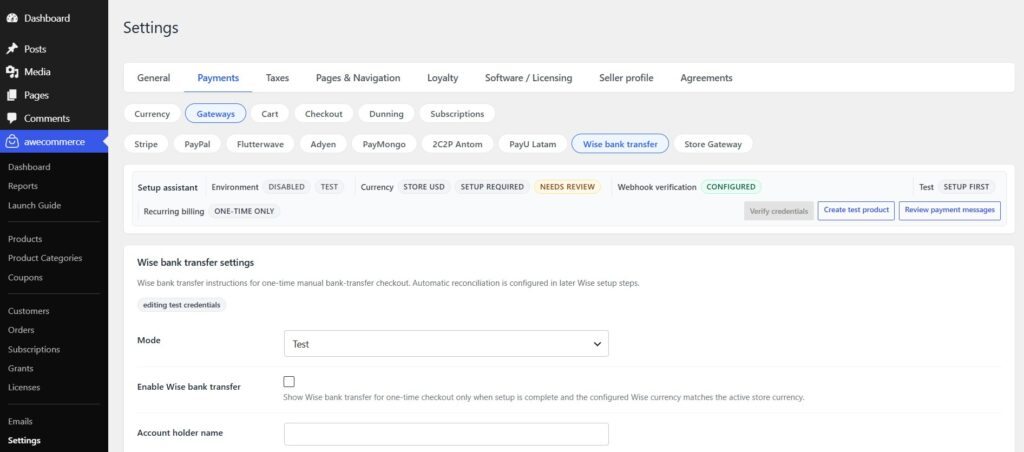
Setup Instructions
- Go to
awecommerce > Settings > Payments > Gateways. - Open the Wise bank transfer settings.
- Enable Wise only when the store is ready to accept bank transfers.
- Fill in the required setup fields: mode/token, profile ID, account or balance ID, account holder name, receiving account details, and the configured currency.
- Save settings and use the connection/readiness checks before exposing Wise to customers.